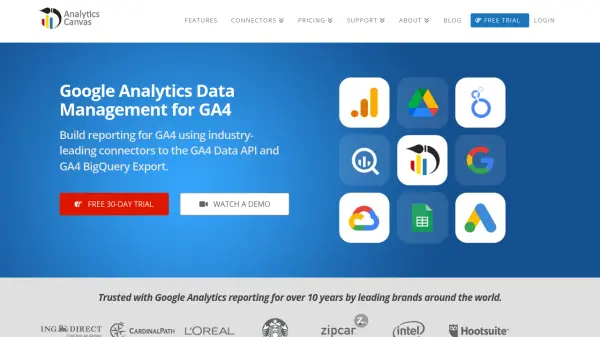
What is Analytics Canvas?
Analytics Canvas provides industry-leading connectors for Google Analytics 4 (GA4) data, including the GA4 API and GA4 BigQuery export. With a no-code visual interface, users can create queries, access large data volumes from multiple accounts, eliminate sampling, and build custom funnels. The platform enables data exploration, transformation, and preparation for analysis, ensuring consistent, auditable data workflows. Automation capabilities allow users to update databases, refresh reports, and publish data to visualization tools like Looker Studio, Tableau, and Excel without coding. Analytics Canvas is trusted by leading brands for over 10 years and offers both on-premise and cloud-based options for enterprise integration.
Features
- GA4 API Connector: Access GA4 data via the official API and BigQuery export with no-code visual interface.
- Data Exploration and Workflow Design: Connect, explore, transform, and prepare data with a visual drag-and-drop interface.
- Automation: Schedule and automate data extraction, transformation, and loading (ETL) for routine reporting tasks.
- Looker Studio Integration: Create data sets up to 2 billion rows and connect to Looker Studio with best-in-class performance.
- Tableau Integration: Prepare and publish Tableau Data Extracts (TDE) and TWBX files to Tableau Server or Tableau Online.
- Excel Dashboard Automation: Refresh Excel dashboards with one click and automate report generation without macros.
- Database Integration: Load GA4 data into BigQuery, Redshift, MySQL, SQL Server, Oracle, and other databases.
- No Coding Required: All operations are performed via a visual interface, eliminating the need for SQL or custom development.
Use Cases
- Extract unsampled Google Analytics 4 data for accurate reporting.
- Automate weekly or monthly GA4 reporting workflows.
- Combine GA4 data with other data sources for comprehensive analysis.
- Build and refresh Looker Studio dashboards with large datasets.
- Prepare and publish Tableau data extracts from Google Analytics.
- Create and automate Excel dashboards for multiple websites.
FAQs
-
How does billing work?
Your account is billed at the beginning of your subscription and every 30 days thereafter. Starter accounts are billed for additional usage on the first billing date of the next month. -
What are my payment options?
You can pay via credit card. For plans worth more than $1,000, quarterly and annual invoices can be issued, with payment via bank-transfer or check. Annual purchases of $1,000 or more paid by bank-transfer or check qualify for a 5% discount. -
What kind of training and support is available?
We provide documentation, getting started videos, and tutorials on our website. You can contact us or schedule a demo or training session. -
Do you offer discounts?
We offer a 5% discount for annual pre-payment by bank-transfer or cheque. We also price protect customers if prices decrease and grandfather customers if prices increase. -
Can I transfer my license?
Yes. Simply email [email protected] with your license key to initiate a transfer. For cloud services, you can add a new user as an administrator and have that user remove you.