What is AES Crypt?
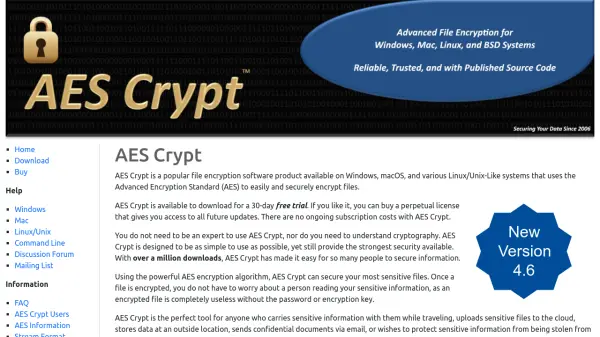
AES Crypt provides a straightforward way to encrypt sensitive files using the Advanced Encryption Standard (AES) algorithm, ensuring that even if files are accessed by unauthorized individuals, they remain unreadable. Available for Windows, macOS, and various Linux/Unix-like systems, the software is designed to be used without any expertise in cryptography. Users can encrypt files with a password or encryption key, making it an ideal solution for protecting data during travel, cloud storage, email transmission, or securing information at home or in the office. AES Crypt offers a 30-day free trial, and a perpetual license is available for purchase with no ongoing subscription costs. With a legacy spanning 20 years, AES Crypt continues to prioritize both usability and security, receiving updates that enhance performance and protection.
Features
- AES Encryption: Uses the AES algorithm to provide strong, industry-standard security.
- Cross-Platform: Available on Windows, macOS, and Linux/Unix systems.
- Simple to Use: Designed for users without cryptography expertise; encrypt files with a password.
- Perpetual License: One-time purchase grants access to all future updates, no subscription required.
- 30-Day Free Trial: Try the software before buying.
Use Cases
- Encrypting sensitive files before sharing via email.
- Securing files stored in the cloud or on external drives.
- Protecting confidential documents on a laptop while traveling.
- Safeguarding personal information at home or in the office.
FAQs
-
What is AES Crypt?
AES Crypt is file encryption software that uses the Advanced Encryption Standard (AES) to securely encrypt files on Windows, macOS, and Linux/Unix systems. -
Is AES Crypt free?
AES Crypt offers a 30-day free trial. After that, you can purchase a perpetual license with no ongoing subscription costs. -
Which operating systems are supported?
AES Crypt is available for Windows, macOS, and various Linux/Unix-like systems. -
Do I need to be an expert in cryptography to use AES Crypt?
No, AES Crypt is designed to be simple to use, even without any understanding of cryptography.