What is ActiveBatch?
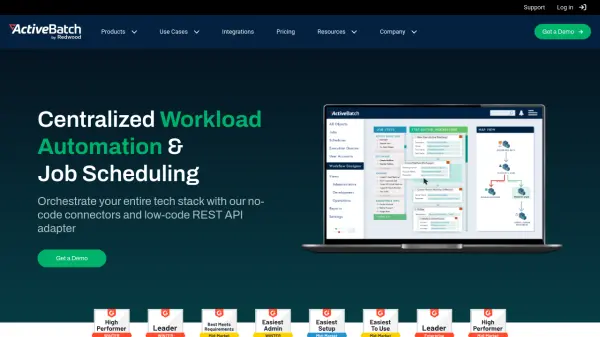
ActiveBatch provides a central automation hub for scheduling and monitoring, ensuring business-critical systems like CRM, ERP, Big Data, BI, ETL tools, and others work together seamlessly. It offers infinite extensibility, connecting to any server, application, or service, providing limitless endpoints for comprehensive workflow automation.
The platform features a low-code, drag-and-drop GUI, enabling users to build reliable, customizable end-to-end processes significantly faster. ActiveBatch is designed for high availability and reliability, offering proactive support and a self-healing platform to ensure stability.
Features
- Job Step Library: Access hundreds of pre-built job step templates requiring no scripting.
- Reporting and Monitoring: Get fully customizable reporting and flexible monitoring and alerting capabilities.
- Event-Driven Job Scheduling: Trigger automation based on events and more advanced scheduling features.
- Security, Auditing and Governance: Keep systems and data safe with controlled access across on-premises, hybrid and cloud.
- Views and Interfaces: Work within user-friendly interfaces and capture information in different views.
- Cloud Provisioning: Leverage provisioning capabilities to maximize cloud infrastructure investments and resources.
- SLA Management: Automatically manage, monitor and prevent failure of service level agreements (SLAs).
- Architecture and High Availability: Experience high availability in the event of outages or failures with flexible, scalable architecture.
Use Cases
- Workload Automation
- File Transfer Automation
- IT Automation
- Data Warehouse & ETL Automation
- Business Process Automation
- Cloud Infrastructure Automation
- SQL Server Automation
- ServiceNow Automation
- SharePoint Automation