What is Zed?
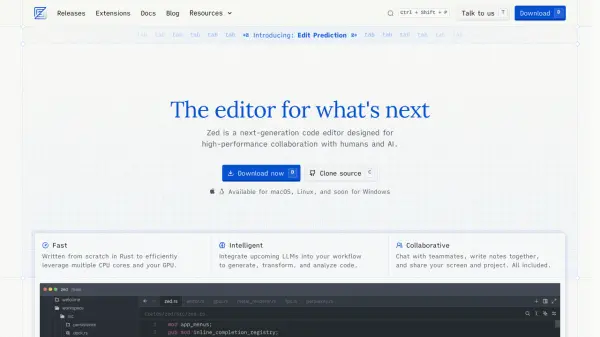
Zed is a high-performance code editor meticulously crafted for seamless collaboration between developers and AI. Engineered from the ground up in Rust, it leverages multi-core CPUs and GPUs for optimal speed and efficiency.
The editor incorporates features to enhance developer productivity, including remote development, multibuffer editing, and interactive programming with Jupyter runtimes. It offers multi-language support via Tree-sitter, WebAssembly, and the Language Server Protocol, as well as a fast native terminal that integrates with language-aware task runners and AI capabilities. Zed is also Vim-friendly with first-class modal editing.
Features
- Fast: Written in Rust to efficiently leverage multiple CPU cores and your GPU.
- Intelligent: Integrates upcoming LLMs to generate, transform, and analyze code.
- Collaborative: Chat with teammates, write notes together, and share your screen and project.
- Remote Development: Your machine only runs the Zed UI, while the actual codebase runs on a remote server.
- Multibuffer editing: Compose excerpts from across the codebase in one editable surface.
- Interactive programming: Evaluate and interactively run code inline via Jupyter runtimes.
- Multi-language: Support for many languages via Tree-sitter, WebAssembly, and the Language Server Protocol.
- Terminal and task runner: Fast native terminal tightly integrates with Zed's language-aware task runner and AI capabilities.
- Vim-friendly: First-class modal editing via Vim bindings.
- Edit Prediction: A tool that anticipates your next move. Powered by Zeta.
Use Cases
- Collaborative code editing with team members.
- Remote development on powerful servers.
- Rapid prototyping with interactive programming.
- Developing and debugging code in multiple languages.
- Efficient code navigation and manipulation.
- Extending functionality via a growing extension ecosystem.
FAQs
-
What platforms does Zed support?
Zed is currently available for macOS and Linux, with Windows support coming soon. -
How can I extend Zed functionality?
You can extend Zed using extensions, which offers functionalities like broaden language support, different themes, and more. -
Does Zed have Vim mode?
Yes, Zed has First-class modal editing via Vim bindings.