What is Wizlogo?
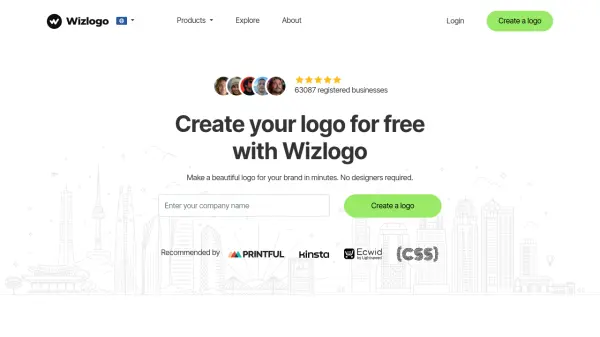
Wizlogo is a web-based platform designed to help users generate unique and visually appealing logos easily, leveraging artificial intelligence to streamline the design process. The service offers a variety of logo styles, customization options for colors, symbols, and sizes, and provides high-resolution downloads in formats like PNG, JPG, SVG, PDF, and EPS.
Users can access different plans tailored to both personal and commercial use, including features such as transparent backgrounds, mockup previews, and color variations. Wizlogo supports simple editing tools to refine logo designs and delivers enterprise-grade assets for businesses that need vector files and additional branding materials like business cards and social media kits.
Features
- AI Logo Generation: Instantly generate hundreds of unique logo designs using artificial intelligence.
- Customization Tools: Easily adjust logo styles, colors, symbols, and sizes.
- Mockup Preview: View logos in real-life scenarios with built-in mockup previews.
- High-Resolution Downloads: Download logos in PNG, JPG, SVG, PDF, and EPS formats.
- Multiple Color Variations: Automatically receive black, white, and color logo options with predefined palettes.
- Transparent Backgrounds: Get transparent logo versions in every plan.
- Enterprise Package: Receive additional vector files, business cards, and social media kits with professional review and lifetime support.
Use Cases
- Launching a new business or startup with a professional brand identity.
- Creating unique logos for personal projects or portfolios.
- Developing branding materials, including business cards and social media profiles.
- Quickly designing mockup logos for client presentations.
- Generating logos for e-commerce stores or online platforms.
FAQs
-
What is Wizlogo logo maker?
Wizlogo is a web-based platform for creating logotypes in minutes, allowing users to design professional logos without the need for a hired designer or agency. -
How much does a logo cost with Wizlogo?
Wizlogo offers a free personal use logo package, a paid single-logotype plan for a one-time fee, and a subscription-based unlimited plan for ongoing logo creation. -
Can I use my Wizlogo-created logo for commercial purposes?
Commercial use is permitted for all purchased logotypes, while the free package is intended for personal use only. -
Will I receive transparent and vector logo files?
All plans include transparent PNG images, and the Enterprise package also provides SVG, PDF, and EPS vector files. -
How long does it take to receive the Enterprise package?
Enterprise packages are reviewed and refined by professional designers, typically delivered within 48 hours.