What is Webinoly?
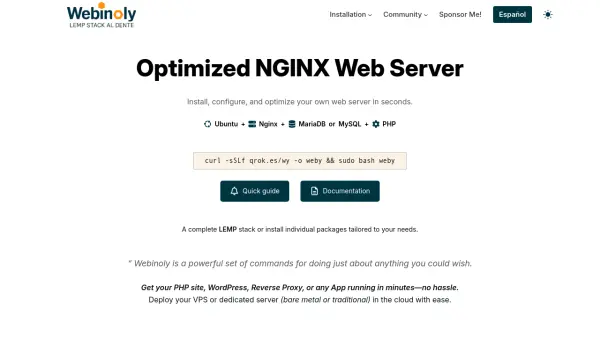
Webinoly is a command-line tool that simplifies the deployment and management of a high-performance LEMP stack on Ubuntu. It installs and configures NGINX, MariaDB or MySQL, and PHP, along with essential optimizations like FastCGI Cache, Redis Object Cache, and free SSL certificates via Let's Encrypt. Designed for developers and sysadmins, Webinoly provides full control through a terminal interface, with no bulky control panels or external dependencies.
Webinoly includes advanced features for managing websites, such as native WordPress support with multisite compatibility, domain mapping, and subdirectory installations. It also offers tools for URL redirection, SMTP email sending, HTTP authentication, backups, cloning, log monitoring, and reverse proxy for hosting applications like Laravel, Node.js, or React. The tool is open source, free, and built on best practices to ensure security, reliability, and optimal performance out of the box.
Features
- One-Command LEMP Stack Installation: Deploy NGINX, MariaDB/MySQL, and PHP with a single curl command.
- WordPress Native Support: Automated WordPress setup including multisite, domain mapping, and caching.
- Free SSL Certificates: Automatic Let's Encrypt SSL with A+ Qualys rating.
- FastCGI Cache & Redis Object Cache: Built-in caching for dynamic content acceleration.
- Reverse Proxy: Host applications like Laravel, Node.js, React, or Vue with ease.
- Backup & Clone: Comprehensive backup and site cloning for migration and staging.
- Redirection Manager: Easily manage URL redirects for SEO and structure.
- HTTP Authentication: Secure sites, folders, or files with access control.
- Real-Time Log Viewer: Monitor server activity and logs instantly.
- Configurable HTTP Headers: Fine-tune headers for security, performance, and compliance.
Use Cases
- Deploying a production-ready LEMP server on a VPS or dedicated server.
- Hosting WordPress sites with optimized performance and caching.
- Setting up a reverse proxy for web applications built with frameworks like Laravel or Node.js.
- Migrating websites between servers with built-in backup and clone tools.
- Managing multiple sites with SSL, redirects, and authentication from the command line.
FAQs
-
What operating system does Webinoly support?
Webinoly supports Ubuntu (specifically Ubuntu 20.04 and later) as the base operating system. -
Is Webinoly free to use?
Yes, Webinoly is completely free and open source. -
Does Webinoly include a control panel?
No, Webinoly is a command-line tool and does not include a graphical control panel. It is designed for terminal-based server management. -
Can I use Webinoly with existing websites?
Yes, you can use Webinoly to manage existing websites, but it's recommended to back up your data before installation.