What is WACUP?
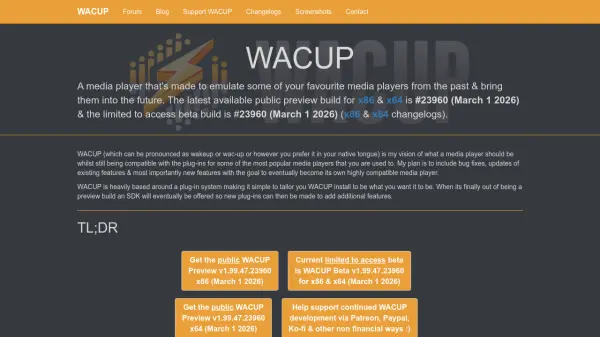
WACUP is a media player designed to emulate classic media players from the past while bringing them into the future with modern updates and enhancements. It is heavily based around a plugin system, allowing users to tailor their installation to meet specific needs and preferences. The player aims to include bug fixes, updates to existing features, and new functionalities, with the goal of eventually becoming a highly compatible standalone media player.
Currently available as a preview build, WACUP is free to download and use, though it is still under development. It supports compatibility with plugins from popular media players, and future plans include offering an SDK for creating new plugins. The project is independent and accepts donations to support ongoing development, but it is not open source, relying instead on open-source libraries and modified plugins to comply with licensing requirements.
Features
- Plugin System: Allows customization and compatibility with plugins from popular media players
- Classic Emulation: Emulates favorite media players from the past with modern updates
- Free to Use: No cost for downloading and using the preview build
- Development Updates: Regular updates with bug fixes and new features through blog and changelogs
- Beta Testing: Limited access beta builds for testing new features and improvements
Use Cases
- Playing media files with a classic media player interface
- Customizing media player functionality through plugins
- Testing new media player features in beta builds
- Using a free alternative to commercial media players
- Accessing updated versions of classic media player plugins
FAQs
-
How can I download WACUP?
WACUP can be downloaded as a preview build from the official website, with separate versions available for x86 and x64 systems. -
Is WACUP open source?
No, WACUP is not open source, but it uses open-source libraries and provides modifications to plugins to comply with licensing requirements. -
Can I become a beta tester for WACUP?
Yes, you can request to become a beta tester by creating an account on the community forum and sending a PM to 'dro', but acceptance is not guaranteed. -
How can I support WACUP development?
You can support WACUP through donations via Patreon, PayPal, Ko-fi, or other non-financial methods to help cover development costs. -
Where can I follow WACUP development updates?
Development updates can be followed through weekly blog posts, build-specific changelogs, and a development changelog on the official website.