What is Vokal?
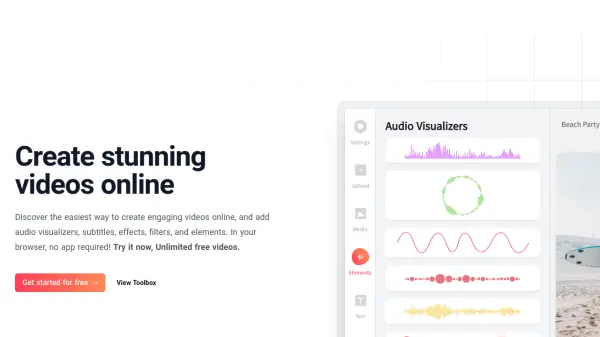
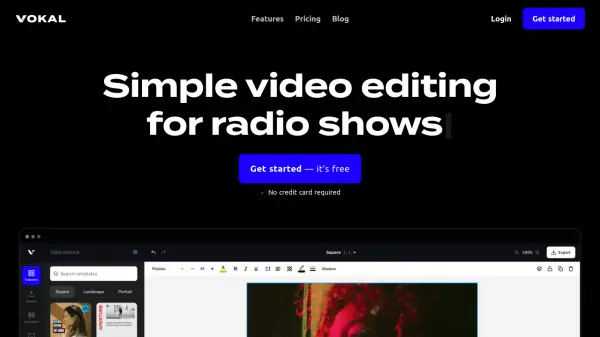
Vokal provides a user-friendly platform specifically for audio creators looking to expand their reach on social media. The tool enables the creation of engaging videos by incorporating elements like audio waveforms, automatically generated subtitles, and progress bars. Users can choose from premium templates or customize their own, adding images, stock videos, GIFs, text, and stickers to personalize their projects.
Vokal supports uploading personal assets (audio, video, images) and offers access to a library of free stock videos and photos. It allows video creation in various formats suitable for different social media platforms, helping creators boost engagement by transforming audio tracks or existing videos into visually appealing content. The platform aims to make video production accessible and efficient for podcasters, musicians, and other audio-focused content producers.
Features
- Audio Waveform Visualization: Choose from various waveform animations and customize them.
- Automatic Subtitle Generation: Transcribe audio/video content in any language and display subtitles.
- Customizable Templates: Use premium templates or create and customize your own designs.
- Asset Integration: Upload personal audio, video, and images.
- Stock Media Library: Access free premium stock videos and photos.
- Visual Enhancements: Add text, stickers, GIFs, vectors, shapes, and time progress bars.
- Multi-Format Export: Create videos in formats suitable for all social media platforms.
Use Cases
- Creating social media videos for podcasts.
- Visualizing music tracks with waveforms for online sharing.
- Adding subtitles to audio or video content for accessibility and engagement.
- Repurposing audio content into shareable video snippets.
- Enhancing video interviews or talks with visual elements.
FAQs
-
Can I cancel my subscription anytime?
Yes, you can cancel your recurring subscription anytime before your next bill date without cancellation fees. You'll retain access for the period you've already paid. -
Why should I choose a paid plan?
Vokal is an independent project. Paid subscriptions directly support the creator, enabling the maintenance and improvement of the tool, with the goal of making it a full-time endeavor. Funds help cover server costs and development. -
Who created Vokal?
Vokal was created by Frizky, a software developer from the Netherlands. -
What is the maximum video length on paid plans?
The Starter plan allows up to 5 minutes of video length, while the Pro plan allows up to 20 minutes. -
What video quality is supported?
Both the Starter and Pro plans support 1080p video quality.