What is VocalRemover?
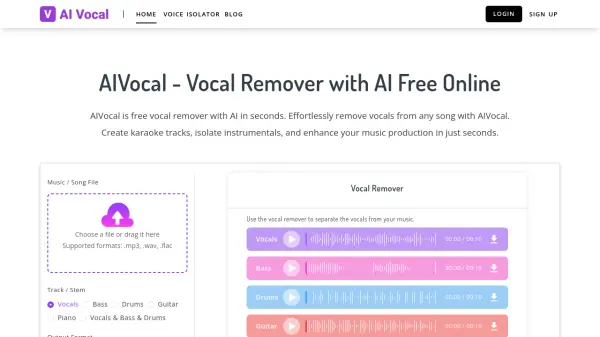
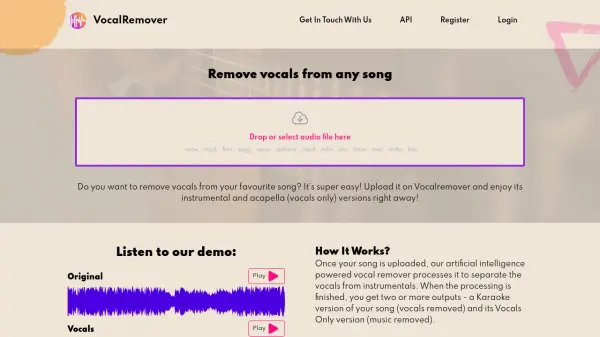
VocalRemover is an online service that utilizes artificial intelligence to isolate vocals and instrumentals from any given song. The platform allows users to upload various audio and video file formats, including .wav, .mp3, .flac, .ogg, .opus, .mp4, .mkv, .avi, and more. Once a file is uploaded, the AI processes the audio to separate the vocals from the instrumental tracks. The result is two separate outputs: a karaoke version (instrumentals only) and an acapella version (vocals only).
VocalRemover is designed for fast conversion while maintaining high-quality, lossless sound. Different pricing tiers are available that provide different storage capabilities and file upload limits.
Features
- Vocal Separation: Isolates vocals from instrumental tracks in any song.
- Instrumental Separation: Creates instrumental-only versions of songs.
- Multiple Format Support: Accepts a wide range of audio and video file formats, such as .wav, .mp3, .flac, .mp4, .mkv, and .avi.
- Lossless Sound Quality: Maintains high audio fidelity during processing.
- Bass Separation: Isolates the bass track from a song.
- Drums separation: Isolates the drums track from a song.
- Piano separation: Isolates the Piano track from a song.
- Fast Conversion: Processes and separates tracks quickly.
Use Cases
- Creating karaoke versions of songs
- Creating acapella versions of songs
- Music production and remixing
- DJ mixes
- Movie Processing
FAQs
-
How Are Conversion Minutes Calculated?
Each package has a limit on the total duration of audio or video you can convert. You can split files as long as their combined length doesn't exceed your purchased minutes. Songs slightly over a minute are rounded to the nearest whole number. -
How To Remove Voice From A Video?
Upload the video file through the browser. The service supports various video types (ogg, mov, mp4, avi) up to 10GB. After conversion, you can download the separated audio tracks. -
How Long My Files Are Stored?
Full file conversions are stored indefinitely with sufficient storage space in your subscription. Sample files are stored for 3 days. Top-up and one-time users have files stored for 30 days. Download files to prevent data loss. -
How And When Can I Cancel My Subscription?
You can cancel your subscription at any time by contacting customer support. -
What About Audio Quality?
Files are processed in the same format they are uploaded in, to maintain the highest possible quality. The algorithm strives to meet the highest standards.