
What is Vizard?
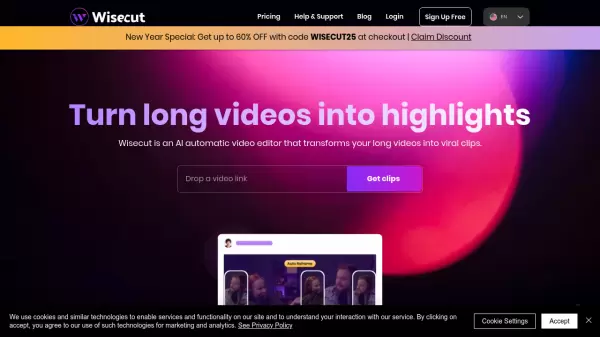
Vizard is an innovative AI-powered video editing platform that revolutionizes content creation by automatically transforming long-form videos into engaging short-form content. The platform utilizes advanced artificial intelligence to identify the most compelling moments in videos and generate social media-ready clips with minimal user effort.
The platform offers a comprehensive suite of editing tools, including text-based editing, caption translation in over 100 languages, and one-click ratio adjustments for different social platforms. With features like brand templates, timeline editing, and collaborative workspaces, Vizard serves content creators, marketers, coaches, and agencies in streamlining their video production workflow.
Features
- AI Clipping: Automatically identifies and extracts engaging video highlights
- Text-Based Editing: Edit videos by modifying transcription text
- Multi-language Support: Translate captions to over 100 languages
- One-Click Resizing: Instantly adjust video ratios for different platforms
- Brand Templates: Save and apply consistent branding across videos
- Team Collaboration: Shared workspace for team members and clients
- Transcription: Automatic video transcription with speaker detection
- Social Media Integration: Direct publishing to multiple platforms
Use Cases
- Converting podcasts into short social media clips
- Repurposing webinar content for social media
- Creating YouTube Shorts from long-form videos
- Generating TikTok content from interviews
- Producing social media content from course materials
- Editing client calls into promotional content
- Creating multilingual video content
FAQs
-
What video quality does Vizard support?
Vizard supports up to 4K video quality for paid plans, while the free plan supports 1080p uploads and 720p exports. -
How long can I store my videos on Vizard?
Free plan users get 3-day storage, while paid plan subscribers can store their videos as long as their subscription is active. -
What is the maximum upload size allowed?
Free plan users can upload videos up to 1GB, while paid plans support uploads up to 10GB.