What is Venice AI?
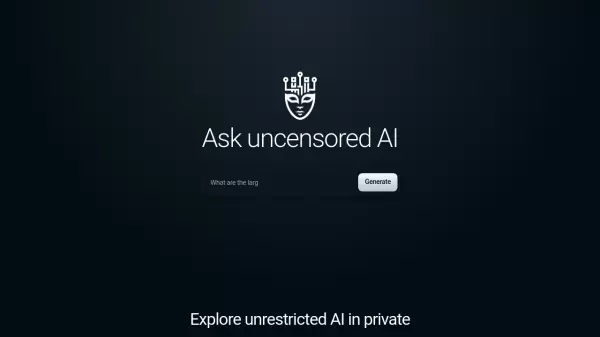
Venice AI stands as a pioneering platform that combines privacy-focused AI technology with unrestricted capabilities. The platform delivers comprehensive AI services including text generation, image creation, and code assistance while maintaining a strict commitment to user privacy by storing all conversation history locally on users' devices.
The platform distinguishes itself by providing uncensored, unbiased machine intelligence through leading open-source AI technology. Unlike conventional AI platforms, Venice AI ensures complete user privacy by never storing prompts or responses on its servers, while offering powerful features such as document analysis, brainstorming capabilities, and high-resolution image generation.
Features
- Private Data Storage: All conversation history stored locally on user device
- Uncensored AI Responses: Unrestricted and unbiased machine intelligence
- Multi-Modal Capabilities: Text, image, and code generation in one platform
- Document Analysis: Advanced document summarization and review
- Image Enhancement: 70+ style templates with prompt enhancement feature
- Code Debugging: Automated code analysis and debugging assistance
- Crypto Payment Support: Option to pay with cryptocurrency
- API Access: Available for Pro account holders
Use Cases
- Research and brainstorming
- Document summarization and analysis
- Creative writing and editing
- Image creation and design
- Code generation and debugging
- Private AI conversations
- High-resolution image generation
- Document review automation
FAQs
-
How does Venice AI ensure user privacy?
Venice AI maintains privacy by storing all conversation history and data locally on the user's device, never on their servers. -
What are the payment methods available?
Users can pay via credit card, cryptocurrency, Bitcoin, or through Coinbase. -
What's the difference between Free and Pro accounts?
Pro accounts get unlimited prompts, API access, high-resolution images without watermarks, custom system prompts, and the ability to disable Safe Venice mode.