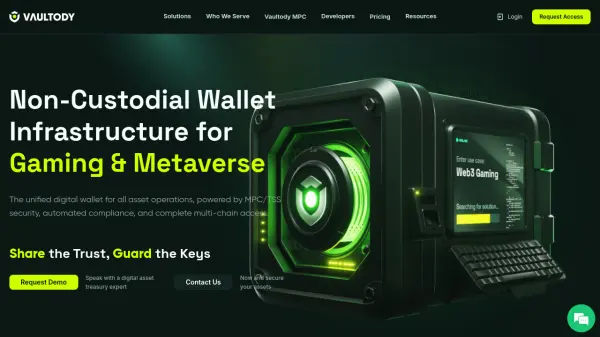
What is Vaultody?
Vaultody is a digital asset wallet infrastructure platform that enables financial institutions, fintech platforms, asset managers, and Web3 innovators to build, scale, and govern digital asset operations securely. The platform utilizes proprietary multi-party computation (MPC) technology to provide non-custodial infrastructure where organizations retain full control of their assets while benefiting from enterprise-grade security, compliance, and programmability.
The solution suite includes direct custody for institutions managing digital assets on behalf of customers, treasury management with multi-chain asset management and policy controls, and wallet-as-a-service for fintechs and exchanges. Vaultody supports over $10B in secured assets, 10M+ created wallets, and 15M+ processed transactions, offering features like configurable approval policies, automated workflows, real-time notifications, and unified API integration.
Features
- MPC Security: Proprietary multi-party computation engine for secure, governed, and scalable digital asset custody
- Unified Transactions: Seamless operations with unified address creation for secure, fail-safe transactions
- Gas Fee Sponsorship: Streamlined transaction management with fee abstraction capabilities
- Operational Efficiency: Automated transaction processing with customizable approval policies and comprehensive API
- Team Roles & Permissions: Customizable team roles and permissions for enterprise governance and accountability
Use Cases
- Secure digital asset custody for exchanges and financial institutions
- Treasury management for hedge funds and asset managers
- Wallet-as-a-service infrastructure for fintech platforms
- Digital asset management for gaming and metaverse platforms
- Compliant crypto product development for traditional banks
FAQs
-
What payment methods does Vaultody accept?
Vaultody accepts credit cards, debit cards, bank transfers, and cryptocurrency payments, with payments required before the start of each billing cycle. -
Does Vaultody offer a free trial?
Yes, Vaultody offers a 7-day free trial limited to testnet only, which can be canceled anytime without charges after account setup is complete. -
What happens if I exceed my transaction volume limit?
Overage fees apply when exceeding included outgoing transaction volume, with rates varying by plan (0.20% for Entry, 0.15% for Standard, 0.10% for Business). -
Can I customize my subscription plan?
Yes, subscription plans can be customized to meet specific requirements by contacting the sales team for a tailored solution. -
What security certifications does Vaultody have?
Vaultody has SOC 2 Type 1 and ISO 27001 certifications ongoing, demonstrating commitment to enterprise security standards.