What is UptimeEye?
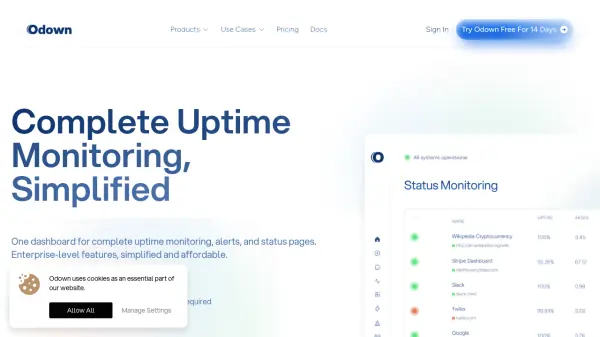
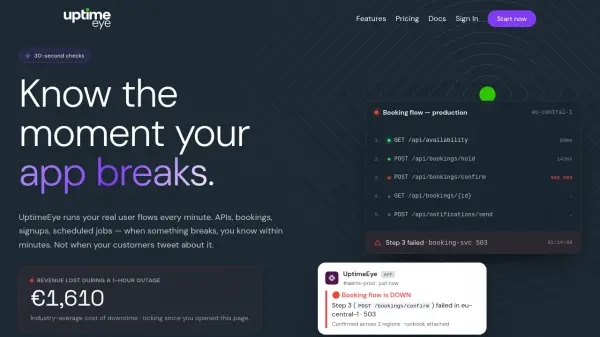
UptimeEye is a comprehensive monitoring platform that runs your real user flows every minute, so you know the instant your application breaks. Whether it's an API endpoint, a booking flow, a signup process, or a scheduled job, UptimeEye checks from up to 6 global regions and alerts you via your preferred channels including Slack, PagerDuty, MS Teams, Discord, Telegram, email, and webhooks.
The tool parses cURL commands directly, allowing you to set up a monitor in seconds. It supports multi-step flows with assertions on status codes, response times, JSON body, and regex, and can extract session tokens between steps for realistic testing. With a free tier and a 14-day free trial for the Pro plan, UptimeEye helps you catch failures before your customers do, reducing downtime and support tickets.
Features
- 30-Second Checks: Run real user flows every minute from up to 6 global regions.
- Multi-Step Flow Monitoring: Simulate complete user journeys with token extraction between steps.
- Instant Alerts: Get notified via Slack, PagerDuty, MS Teams, Discord, Telegram, email, or webhook.
- cURL Import: Paste a cURL command and convert it into a working monitor in seconds.
- Step Assertions: Validate status codes, response times, JSON body, and regex at each step.
- Cron Job Monitoring: Detect failed scheduled tasks, missed backups, and broken reports.
- Dynamic Variables: Extract tokens from responses, generate UUIDs or timestamps for realistic testing.
- Professional Status Pages: Branded status pages to keep stakeholders informed and reduce support tickets.
Use Cases
- Monitor critical booking and checkout flows for e-commerce and travel sites.
- Detect API failures and performance degradation across multiple regions.
- Alert on failed cron jobs and scheduled tasks like data backups or email campaigns.
- Validate complex multi-step signup or login processes.
- Track SSL certificate expiry and DNS health.
- Reduce support tickets by proactively notifying users of outages via status pages.
FAQs
-
How fast can I set up a monitor?
You can set up your first monitor in about 5 minutes. Simply paste a cURL request or choose a template, add assertions, and choose alert channels. -
Do you support Single Sign-On (SSO)?
Yes, UptimeEye supports SAML & OAuth SSO integration with Okta, Azure AD, Google Workspace, and more. -
What if my cronjob fails silently at 3am?
UptimeEye will detect the missed execution and alert you instantly via your configured channels, with details on what went wrong. -
Will this flood my Slack with useless alerts?
No. UptimeEye uses smart thresholds, location checks, and step-level assertions to only alert you when something really breaks. -
Is there documentation or an API?
Yes, UptimeEye provides comprehensive developer documentation and an OpenAPI-documented backend for full automation.