

What is TIMIO?
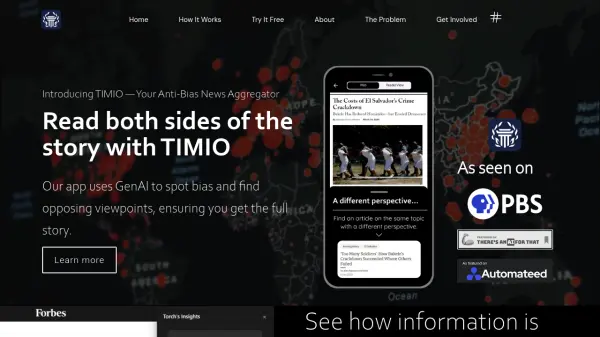
TIMIO utilizes generative AI, specifically its "Torch" model, to analyze news articles for potential bias and misinformation. The platform aims to help users break free from filter bubbles by actively seeking out and presenting diverse perspectives on major news stories. Instead of tailoring content based on user preferences, TIMIO organizes its news feed solely based on the recency of publication, promoting exposure to a broader range of viewpoints.
Available as a mobile application for both iOS and Android, as well as a Chrome Extension for desktop users, TIMIO provides tools to scrutinize information sources. By identifying bias and offering counterarguments or different angles on a story, it empowers users to gain a more comprehensive understanding of complex issues and resist information manipulation.
Features
- AI Bias Detection: Uses the "Torch" GenAI model to identify potential bias and misinformation in news content.
- Opposing Viewpoint Discovery: Actively finds and presents differing perspectives on news stories.
- Algorithm-Free Feed: Organizes news chronologically by recency, avoiding preference-based filtering.
- Multi-Platform Availability: Accessible via iOS app, Android app, and Chrome Extension.
Use Cases
- Accessing balanced news coverage on current events.
- Identifying potential bias in media reporting.
- Exploring different perspectives on controversial topics.
- Avoiding algorithmic filter bubbles in news consumption.
- Evaluating information sources for objectivity.