What is Teachguin?
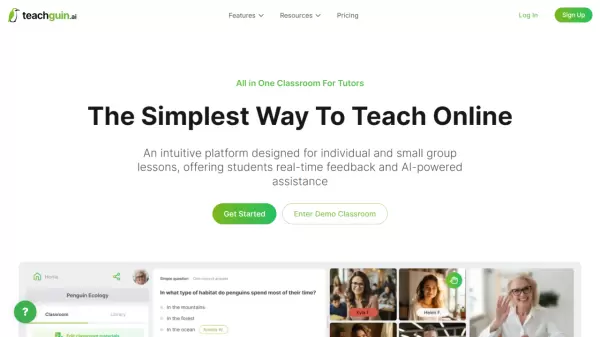
Teachguin revolutionizes online teaching with its intuitive platform specifically designed for tutors and educators. The platform combines essential teaching tools including video conferencing, interactive whiteboarding, and AI-powered assistance to create an engaging learning environment.
The platform stands out with its seamless classroom creation process, integrated communication tools, and ability to generate custom educational materials through AI assistance. Teachers can conduct both individual and group lessons while utilizing interactive features such as quizzes, polls, and real-time collaborative whiteboarding to enhance student engagement.
Features
- Communication Tools: Integrated video conferencing and chat functionality
- AI Assistant: Custom educational materials generation
- Interactive Teaching: Real-time quizzes, polls, and questions
- Whiteboarding: Collaborative real-time visual learning tools
- Easy Setup: One-click classroom creation with stored access
- Student Access: Direct link sharing with no registration required
Use Cases
- One-on-one tutoring sessions
- Small group lessons
- Interactive homework help
- Real-time collaborative learning
- Custom educational content creation
- Virtual classroom management
FAQs
-
How many students can I lead at one time?
The platform supports both individual and small group lessons, though specific limits may vary based on your subscription plan.