What is Tabliner?
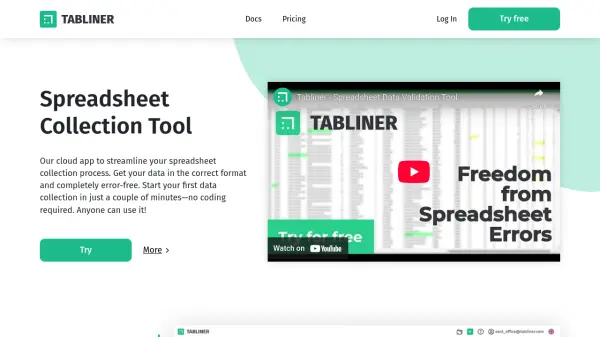
Tabliner is a cloud-based platform focused on simplifying and automating the process of collecting spreadsheet data. Designed with a user-friendly interface, it allows anyone to set up data templates, validate entries, and ensure all collected information is formatted correctly without the need for coding knowledge. Built-in error detection and contextual hints help users enter data accurately and efficiently, minimizing mistakes and reducing the time spent on data correction.
With flexible templates and advanced validation that adapts to dynamic rules, Tabliner is suitable for a wide range of data collection scenarios—from simple surveys to complex business workflows. By producing clean, analysis-ready data directly at the point of entry, it enhances the accuracy of analytics and forecasting while saving valuable resources for organizations both large and small.
Features
- No-Code Template Constructor: Easily create and modify data collection templates without coding skills
- Advanced Data Validation: Supports dynamic validation rules sensitive to multiple columns
- Automatic Error Detection: Instantly identifies errors and generates context-aware hints
- Flexible Access Settings: Manage user roles and permissions for templates
- Import and Export Data: Handle multiple data formats for seamless workflow integration
- Comprehensive Documentation: Offers thorough guidance and explanations for all features
- Scalable for Teams: Controls for multiple users, departments, and business partners
Use Cases
- Collect clean and validated data from team members for project management
- Standardize and manage large-scale business data inputs across departments
- Prepare error-free, analytics-ready data for business intelligence and forecasting
- Collaborate with external partners on structured data collection efforts
- Automate validation and correction of complex spreadsheet submissions
FAQs
-
Do I need coding experience to use Tabliner?
No, Tabliner is designed as a no-code solution so anyone can create templates and collect data without programming skills. -
Can I customize validation rules based on other fields in my spreadsheet?
Yes, Tabliner allows dynamic validation that can change based on the values in other columns, supporting even complex data collection requirements. -
What happens if data is entered incorrectly?
Tabliner automatically detects errors and provides contextual hints for correction, ensuring all data meets required standards. -
Is there a limit to the number of team members I can collaborate with?
The Pro plan allows up to 100 users to collaborate in a single template, suitable for both small teams and large organizations. -
What data formats does Tabliner support for import and export?
Tabliner includes extensive options for data import and export, making it easy to integrate with various standard file types.