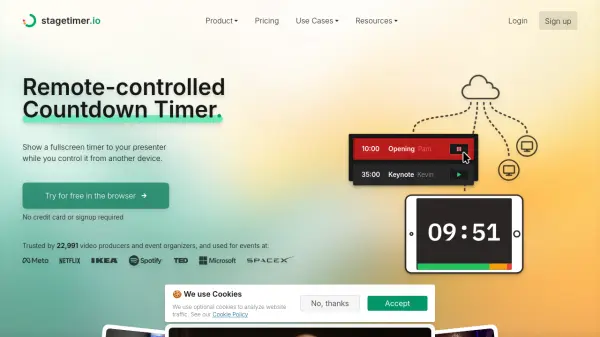
What is Stagetimer?
Stagetimer is a remote-controlled countdown and event timer solution built for video producers, event organizers, and education professionals. It allows users to display a fullscreen timer for presenters while retaining full remote control from another device, ensuring seamless event management. The platform features advanced timer functionalities such as countdown, count-up, time-of-day displays, customizable colors, and chimes to accommodate diverse show requirements.
Stagetimer also enables organizers to send real-time messages to presenters, import and export agendas, and share collaborative links for team synchronization. Its cloud-based and on-premise desktop versions make it accessible across all devices, including integration options via API for Companion and OBS Studio. Stagetimer simplifies complex setups, enhancing coordination and communication during live events, conferences, workshops, or broadcasts.
Features
- Remote Control: Manage timers and presentations from any connected device.
- Advanced Timer Options: Offers countdown, count-up, and time-of-day displays with customizable formats.
- Real-Time Messaging: Send messages directly to presenters on the confidence monitor.
- Collaboration: Share links for team access and agenda synchronization in real time.
- API Integration: Integrate with Companion, OBS Studio, and more for seamless automation.
- Customizable Themes: Adjust colors, backgrounds, and fonts (Premium feature).
- CSV Import/Export: Upload agendas and rundowns from Excel or Google Sheets.
- Cloud & On-Premise Access: Use directly in the browser or via Windows and Mac desktop apps.
- Multi-Device Support: Control and display timers across desktops, laptops, tablets, and smartphones.
- Sound/Chimes: Play sounds at set intervals or when time is up.
Use Cases
- Keeping live event presentations and panels on schedule.
- Managing time for virtual and in-person meetings.
- Organizing livestream segments and cueing presenters.
- Facilitating smooth video productions and studio broadcasts.
- Timing church services, academic sessions, or workshops.
- Synchronizing agenda and communications during conferences and trade shows.
- Structuring education classes and student presentations.
- Timing workouts and fitness classes in gyms.
FAQs
-
Can I use Stagetimer for free?
Yes, Stagetimer offers a free version that allows use of all basic features, including creating and running timers, scheduling, and linking timers together. Advanced features require a paid subscription. -
Can I program or schedule the countdown timer?
Yes, you can schedule multiple timers or link them together for automated sequencing. Timers can also be set to start at specific times and dates, facilitating scheduled events or presentations. -
Is it possible to customize the timer's appearance?
Yes, full customization of colors, backgrounds, and fonts is available with the Premium license, allowing you to tailor the timer to your event's visual requirements. -
Can attendees send questions to the presenter?
Yes, by sharing a link or QR code, attendees can submit questions, which automatically turn into messages for the presenter. -
Can Stagetimer be used offline?
Yes, a desktop app is available for download on Mac and Windows, enabling offline use on local networks without internet access.