What is Stacktape?
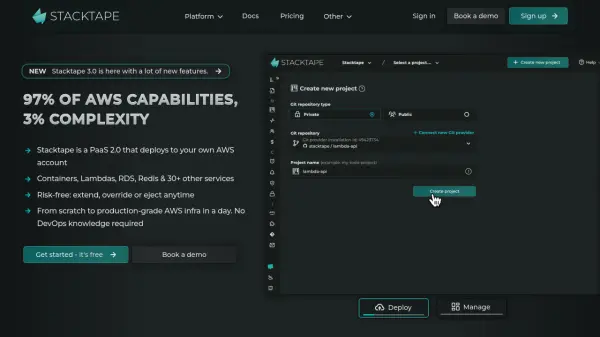
Stacktape is a Platform as a Service (PaaS) 2.0 that enables developers to deploy production-grade AWS infrastructure quickly and cost-effectively. It supports any frontend or backend technology, including containers, Lambda functions, RDS databases, Redis, and 30+ other AWS services. With Stacktape, you can move from scratch to a well-architected, battle-tested AWS setup in as little as 24 hours, without requiring DevOps expertise.
The platform offers a configuration GUI, IntelliSense, price estimation, and multiple deployment options (GUI, CLI, GitOps). It includes built-in features like logs and metrics, private networking, shell access to containers, dev mode, alarms, automatic packaging, cost explorer, and secrets management. Stacktape charges a percentage of your AWS costs, making it transparent and often cheaper than traditional PaaS solutions. Free tier available for side projects.
Features
- Zero-config deployments: Automatically packages containers and Lambda functions from source code using optimized buildpacks.
- Multi-service support: Deploy web services, worker services, batch jobs, edge functions, and more.
- Database integration: Supports RDS, Aurora, DynamoDB, Redis, ElasticSearch, MongoDB Atlas, and Upstash.
- Private networking: VPC, bastion server, and private services for enhanced security.
- Dev mode: Iterate faster by running functions in development mode without redeploying.
- Alarms and monitoring: Get notified on infrastructure issues via Slack, Teams, or email.
- Cost explorer: Detailed cost breakdown for every stack across multiple AWS accounts.
- GitOps integration: Push-to-deploy with GitHub, GitLab, and Bitbucket, plus preview environments.
- Secrets management: Manage secrets from the console and reference them in config.
- Extensible: Override or extend using AWS CloudFormation or CDK.
Use Cases
- Deploying full-stack web applications to AWS without DevOps expertise.
- Migrating from expensive PaaS solutions like Heroku to cost-optimized AWS infrastructure.
- Setting up CI/CD pipelines with GitOps for development, staging, and production environments.
- Running microservices with containers, Lambda functions, and managed databases.
- Building and deploying serverless applications with auto-scaling and private networking.
FAQs
-
Can I use Stacktape without any AWS or DevOps experience?
Yes. Stacktape uses only developer-friendly abstractions and does not assume prior AWS or DevOps knowledge. Documentation guides you through tasks, and support is available. -
How does Stacktape charge?
Stacktape charges a percentage of your AWS costs incurred from resources deployed via Stacktape. The free tier covers up to $100/month in AWS costs for one team member. -
What happens if I stop using Stacktape?
Your applications continue running. You lose Stacktape's management features, but you can keep the generated AWS CloudFormation templates and manage infrastructure yourself. -
Which Git providers are supported?
Stacktape supports GitHub, GitLab, and Bitbucket for automatic push-to-deploy and preview deployments. Other providers can be used with the Stacktape CLI. -
Can I use my AWS Activate credits with Stacktape?
Absolutely. You can leverage AWS Activate credits and the AWS free tier while using Stacktape.