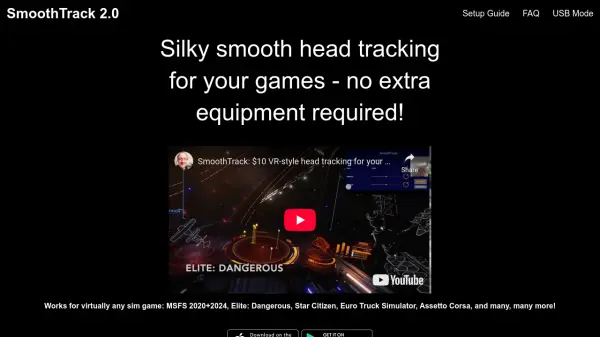


What is SmoothTrack?
SmoothTrack transforms your smartphone into a powerful head tracking controller for PC simulation and racing games, supporting seamless play without the need for additional hardware such as headsets or external sensors. By utilizing your device’s camera, it enables 6 degrees-of-freedom head tracking, offering users an immersive experience where in-game perspective matches real-world head movements.
Designed to work in conjunction with the free OpenTrack software, SmoothTrack is compatible with a wide range of games supporting the FreeTrack or TrackIR protocols, including popular titles like Microsoft Flight Simulator, Elite: Dangerous, and Euro Truck Simulator. Setting up is straightforward, requiring only your smartphone and OpenTrack on your PC, making high-fidelity head tracking accessible to more gamers worldwide.
Features
- 6 Degrees-of-Freedom Head Tracking: Accurately tracks head movements in all directions for immersive control.
- No Extra Hardware: Requires only a smartphone and PC—no headsets or external devices needed.
- Wide Compatibility: Works with any game supporting FreeTrack or TrackIR protocols.
- Easy Integration: Designed as the input source for the free OpenTrack software.
- Simple Setup: Step-by-step guide for connecting your device and configuring settings.
- USB Mode: Optional connection mode for stable and direct interactions.
- On-Screen Controls: Shift perspectives in-game with intuitive gesture support.
Use Cases
- Enhancing immersion in flight simulators with realistic head tracking.
- Improving control in driving and racing simulators like Euro Truck Simulator.
- Providing hands-free camera movement in games that support FreeTrack or TrackIR.
- Replacing expensive head tracking hardware for gaming setups.
- Enabling advanced camera views in space simulators such as Elite: Dangerous.
- Offering a portable head tracking solution for gaming events or public setups.
FAQs
-
Which games are compatible with SmoothTrack?
Any game that supports the FreeTrack or TrackIR protocol, including Microsoft Flight Simulator, Elite: Dangerous, FSX, IL2: Sturmovik, and many others, is compatible with SmoothTrack. -
Does SmoothTrack require additional hardware apart from a smartphone and PC?
No, SmoothTrack only requires your smartphone and a PC—no additional headsets or external trackers are necessary. -
What software is needed to use SmoothTrack with my games?
You need to install and run the free OpenTrack software on your PC to connect SmoothTrack for head tracking functionality.