What is Simple ML for Sheets?
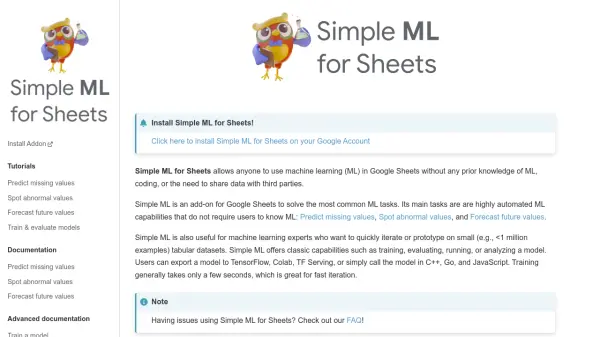
Simple ML for Sheets is a powerful add-on designed for Google Sheets users who wish to leverage machine learning (ML) capabilities without needing prior knowledge in ML or coding. It simplifies common ML tasks, allowing users to predict missing values within their datasets, identify abnormal or outlier data points, and forecast future values based on existing trends. All computations, including model training, are performed directly within the user's web browser using WebAssembly and Javascript, ensuring data privacy as no information needs to be shared with third parties.
Beyond its automated features for beginners, Simple ML for Sheets also caters to machine learning experts seeking rapid iteration or prototyping on tabular datasets (typically under 1 million examples). It provides classic ML functionalities such as training, evaluating, running, and analyzing models. Models trained with Simple ML are compatible with TensorFlow and Yggdrasil Decision Forests, and can be exported for use with TensorFlow, Colab, TF Serving, or called via C++, Go, and JavaScript. Training processes are notably fast, often completing in seconds.
Features
- Predict Missing Values: Automatically fill in gaps in your sheet data.
- Spot Abnormal Values: Identify outliers and anomalies within your dataset.
- Forecast Future Values: Predict future data points based on historical trends.
- Model Training: Train machine learning models directly in Google Sheets.
- Model Evaluation: Assess the performance of trained models.
- Model Analysis: Understand the behavior and structure of your models.
- Model Export: Export trained models for use in TensorFlow, Colab, TF Serving, C++, Go, and JavaScript.
- In-Browser Computation: All ML tasks run locally in the browser using WebAssembly/Javascript, ensuring data privacy.
Use Cases
- Completing incomplete datasets in Google Sheets.
- Detecting unusual entries or errors in spreadsheets.
- Predicting future sales, stock levels, or other metrics.
- Rapidly prototyping ML models for tabular data.
- Training and evaluating decision forest models without leaving Google Sheets.
- Making data-driven decisions based on automated ML insights.