What is Shakebug?
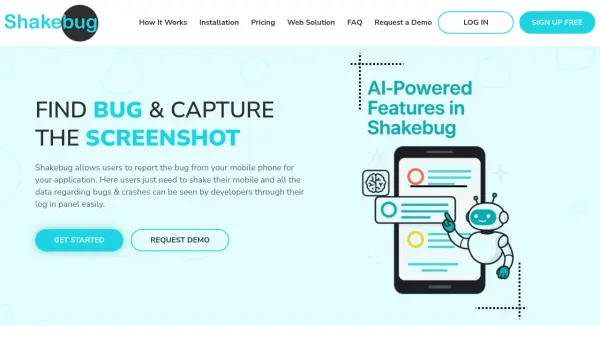
Shakebug is an advanced online bug and crash reporting tool designed for mobile developers to easily track, analyze, and resolve issues in their applications. Users can report bugs by simply shaking their mobile device, which triggers an in-app interface to annotate screenshots and provide detailed descriptions. The platform automatically captures essential information including device and OS details, streamlining the feedback loop between end-users, testers, and developers.
With AI-powered crash aggregation, Shakebug intelligently groups recurring crash reports, providing concise insights like the first occurrence, affected devices, and OS versions. Additional features such as in-depth analytics, custom event tracking, and seamless integration with popular project management tools support developers in maintaining high application quality and efficiency. The platform offers flexible plans, ranging from free to enterprise-level, making it suitable for teams of all sizes.
Features
- Shake-to-Report: Instantly report bugs by shaking the mobile device.
- Screenshot Annotation: Capture and highlight or blur parts of the screen for clarity.
- Automatic Crash Reporting: Automatically detects and logs application crashes.
- Crash AI Aggregation: Uses AI to group recurring crash reports and present consolidated insights.
- Detailed Analytics: Provides graphical analytics on usage, sessions, countries, and languages.
- Custom Events Tracking: Developers can add and monitor custom events within the application.
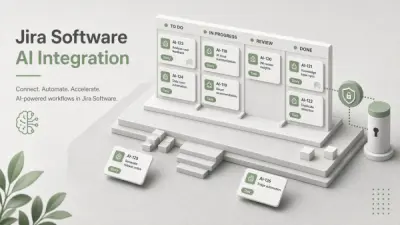
- Integration Support: Connects with Asana, Trello, Jira, Slack, Github, and other platforms.
- Multi-Platform Support: Compatible with iOS, Android, Web, and frameworks like React Native.
- Role Management: Supports multiple users and project management.
- Data Retention Options: Flexible data retention based on subscription tier.
Use Cases
- Mobile app beta testing feedback collection
- Quality assurance for mobile development teams
- Crash monitoring and resolution for released apps
- Real-time user bug reporting during app usage
- Tracking and analyzing application performance issues
- Integrating bug reporting with project management workflows
FAQs
-
What happens if I exceed my MAU (monthly active users) limit?
If you reach your MAU limit, the application will not allow the addition of more bugs or crashes until the limit is increased or your plan is upgraded. -
How is a member defined within Shakebug?
A member is a user who can view all bugs, crashes, analytics, and events of the assigned application within the platform. -
What payment methods are accepted for Shakebug plans?
Shakebug accepts payments via Visa, MasterCard, and American Express credit cards. -
Does Shakebug offer custom plans for enterprise-level requirements?
Yes, custom enterprise plans are available and can be arranged by contacting Shakebug for tailored solutions. -
Is there a free plan available for Shakebug?
Yes, Shakebug offers a Basic free plan suitable for small projects or initial evaluations.