What is Servicebot?
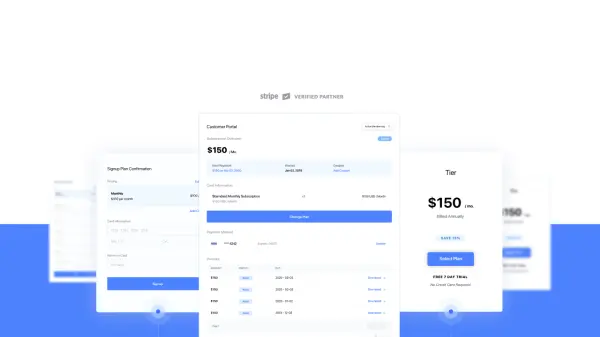
Servicebot enables fast-growing SaaS businesses to implement efficient, no-code billing pages directly into their applications using Stripe’s robust billing engine. With simple HTML/Javascript embeds, Servicebot provides customer self-service portals, customizable pricing pages, and secure signup forms to optimize every stage of the customer lifecycle.
Designed to enhance developer productivity, reduce support requests, and empower business teams to make pricing updates without touching code, Servicebot delivers a frictionless billing experience for both end-users and internal teams. Its branding flexibility, dynamic updates, and seamless Stripe integration make it a valuable addition to any subscription-based platform seeking agile and user-friendly billing management.
Features
- Embeddable Billing Pages: Drop-in billing components for instant Stripe integration
- Customer Subscription Portal: Self-service subscription management for end-users
- Dynamic Pricing Pages: Update and display Stripe pricing in real-time without code changes
- Customizable Design: Match billing pages to your brand’s look and feel
- Easy Integration: Simple HTML/Javascript snippets and plugins for popular platforms
- Secure Payments: SCA-enabled checkout for compliance and payment security
- Admin Controls: Manage or modify subscriptions through Stripe with real-time updates
- All Billing Models Supported: Flexible enough to handle any SaaS billing structure
- Dedicated Onboarding Support: Specialist SaaS account manager and live technical help
- Authentication Integration: Works with any existing customer authentication system
Use Cases
- Enabling SaaS businesses to offer a seamless onboarding and billing experience
- Reducing developer workload by eliminating the need for custom billing code
- Allowing non-technical teams to update and iterate pricing instantly
- Giving customers self-service access to payment, invoices, and subscription management
- Supporting startups in launching subscriptions quickly with minimal development time
- Integrating dynamic billing portals into apps or websites for a native experience
- Automating customer upgrades, downgrades, and payment information updates
FAQs
-
How does Servicebot define monthly revenue?
Servicebot tracks monthly revenue as paid invoices from subscriptions over the past 30 days, excluding manual Stripe payments. -
Is Servicebot a payment processor?
No, Servicebot provides embeddable billing and subscription management pages but relies on Stripe to process payments. -
Does Servicebot support payment processors other than Stripe?
No, Servicebot currently only works with Stripe for subscription-based businesses. -
Is there a minimum contract term for Servicebot?
No, there is no minimum contract; you can cancel at any time, and your billing data remains in your Stripe account.