What is Secoda?
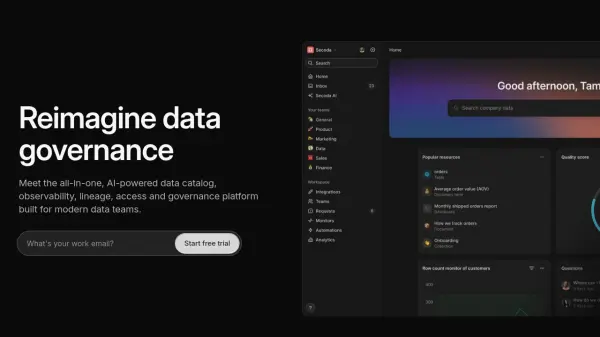
Secoda is an all-in-one platform designed to address the challenges of modern data governance. It offers a centralized solution for data discovery, lineage, quality, and governance, enabling teams to overcome issues like data silos, lack of context, and compliance risks.
By integrating AI-powered search, automated workflows, and comprehensive monitoring, Secoda streamlines data management processes. This unified approach helps teams to find data, understand relationships, ensure quality, and maintain compliance, all within a single platform.
Features
- AI-Powered Search: Quickly find data across the entire data landscape.
- Data Catalog: Single source of truth for all data lineage, context, and documentation.
- Data Monitoring: Reduce risk and ensure data integrity.
- Data Governance: Enforce policies and enable secure access to data.
- Automated Workflows: Automate data processes to reduce manual effort.
- Data Lineage: Trace data's journey from start to finish.
- Quality Monitoring: Track data quality to ensure reliable insights.
- Incident Management: Respond to data incidents quickly.
- Custom Roles: Define roles and permissions to control data access.
- Access Requests: Streamline access management.
Use Cases
- Enterprise Metadata Management
- Data Onboarding
- Data Enablement
- Data Documentation
- Self-service Business Intelligence
FAQs
-
Why is data governance software important?
Admins and Editors on Secoda can view most frequently used datasets and user’s most recently opened resources. Secoda provides insight on what the most frequently asked questions from your team are, empowering admins to be proactive about their data documentation. -
What are the benefits of using a data portal?
Secoda is an all in one platform for your data knowledge. Unlike alternatives, Secoda's data portal allows anyone on your team to easily search, understand and use company data, regardless of their familiarity with data. Some of the benefits include: improved data literacy, faster on onboarding to data, and better visibility and governance. -
Which data warehouse tools can I integrate with Secoda?
Secoda integrations with Snowflake, Big Query, Redshift, Databricks, Postgres, Oracle, Microsoft SQL, MySQL and S3. For more information about our integration, you can visit our integration docs. -
Which BI tools can I integrate with Secoda?
Secoda integrations with Tableau, Looker, Metabase, Redash, Mode, Sigma, Power BI and Google Data Studio. For more information about our integration, you can visit our integration docs. -
Does Secoda work with dbt?
Yes, Secoda works with both dbt Cloud and Core. Secoda is able to take the information from your YAML file and present it in your data discovery platform. In addition, Secoda also brings in dbt tests, tags, metrics and column level lineage into Secoda.