RM2000 Tape Recorder favicon

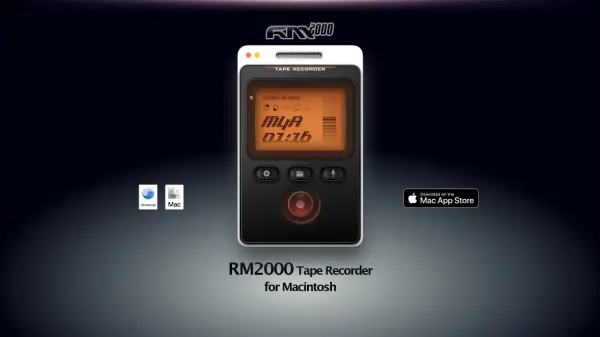
RM2000 Tape Recorder
Turn your Mac into a sampler for instant audio recording

What is RM2000 Tape Recorder?

RM2000 Tape Recorder transforms Mac computers into versatile samplers by providing a straightforward solution for recording system audio. The tool eliminates the need for complicated audio routing configurations or third-party software, offering an intuitive interface that captures audio instantly as it plays on the device.

Designed with a file-over-app philosophy, it ensures recorded samples are easily accessible and integrable into various workflows. The application operates entirely offline, prioritizes data longevity, and includes features for organizing and tagging audio files to enhance productivity.

Features

  • Instant Recording: Captures system audio in real-time without delays
  • No Setup Required: Works out of the box without audio routing or configuration
  • File Organization: Enables tagging and filing of recorded samples for easy access
  • Offline Operation: Functions completely without internet connection
  • Lifetime License: One-time purchase with no subscription fees

Use Cases

  • Capturing audio inspiration from online videos or music
  • Recording system sounds for sampling in music production
  • Saving audio clips from podcasts or webinars for reference
  • Creating sound libraries for creative projects
  • Archiving audio from meetings or presentations

Related Tools:

Blogs:

  • Best text to speech AI tools

    Best text to speech AI tools

    Text-to-speech (TTS) AI tools are designed to convert written or text-based content into natural-sounding spoken audio. These tools utilize various deep learning and neural network architectures to generate human-like speech from textual input.

  • Top 6 AI note-taking tools for 2026: in-person, online, and hybrid use cases

    Top 6 AI note-taking tools for 2026: in-person, online, and hybrid use cases

    Most AI note-taking lists are really lists of meeting bots, which join your video call and transcribe it. That's useful, but it's half the picture. Decisions happen in hallway conversations, client dinners, on-site visits, and hybrid rooms where nobody is on a video link. This guide covers different parts of the note-taking workflow: hardware capture for in-person settings, platform-native tools for online calls, and AI layers for organizing and synthesizing what you've captured. It compares six tools by capture context, workflow fit, pricing, and limitations.

  • Top AI tools for Teachers

    Top AI tools for Teachers

    Explore the top AI tools designed for teachers, revolutionizing the education landscape. These innovative tools leverage artificial intelligence to enhance teaching efficiency, personalize learning experiences, automate administrative tasks, and provide valuable insights, empowering educators to create engaging and effective educational environments.

Didn't find tool you were looking for?

Be as detailed as possible for better results