
What is Regex Hero?
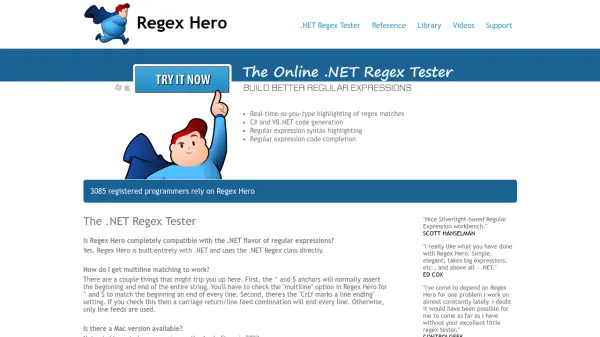
Regex Hero is an AI-enhanced regular expression testing tool specifically designed for the .NET framework. It provides developers with a comprehensive environment to test, debug, and optimize their regex patterns with immediate visual feedback. The tool directly utilizes the .NET Regex class, ensuring complete compatibility with the .NET flavor of regular expressions.
The platform offers real-time as-you-type highlighting of regex matches, allowing developers to immediately see how their patterns interact with test strings. It includes advanced features such as C# and VB.NET code generation, regular expression syntax highlighting, and intelligent code completion to streamline the regex development process. With support for multiline matching configurations and detailed settings for line ending handling, Regex Hero addresses common regex implementation challenges faced by .NET developers.
Features
- Real-Time Highlighting: Provides immediate visual feedback of regex matches as patterns are typed
- Code Generation: Automatically generates C# and VB.NET code from regular expression patterns
- Syntax Highlighting: Offers color-coded syntax highlighting for regular expression patterns
- Code Completion: Includes intelligent code completion suggestions for regex development
- Multiline Support: Configurable multiline matching with options for different line ending conventions
Use Cases
- Testing and debugging .NET regular expressions before implementation
- Learning and understanding regex patterns through visual feedback
- Generating production-ready C# or VB.NET code from regex patterns
- Validating complex regex patterns with multiline text data
- Teaching regular expression concepts in .NET development environments
FAQs
-
How does Regex Hero handle multiline matching configurations?
Regex Hero offers configurable multiline matching with options for different line ending conventions. The 'multiline' option changes ^ and $ anchors to match line beginnings and endings, while the 'CrLf marks a line ending' setting determines whether carriage return/line feed combinations or just line feeds are used as line terminators. -
What programming languages does Regex Hero support for code generation?
Regex Hero generates production-ready code in both C# and VB.NET from regular expression patterns, allowing developers to directly implement tested regex patterns in their .NET applications. -
Is Regex Hero available for Mac operating systems?
Currently, Regex Hero is not available for Mac, but there are plans to release a version on the Apple Store in the future.