Puffin favicon

Puffin
Fast and secure cloud-based web browsing across all devices

What is Puffin?

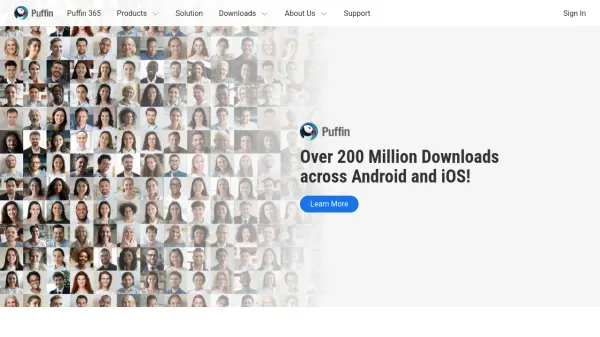
Puffin is a cloud-based web browser developed by CloudMosa that leverages server-side processing to deliver faster and more secure browsing experiences. By offloading resource-intensive tasks to cloud servers, it reduces the load on users' devices while providing protection against malware and other online threats.

The browser is available across multiple platforms including desktop, mobile, and smart TV, with specialized versions like Puffin Secure Browser for enhanced security and Puffin Incognito Browser for private browsing. Its cloud isolation technology ensures that potentially harmful web content is processed remotely, keeping users' devices safe from vulnerabilities.

Features

  • Cloud-Based Processing: Offloads browsing tasks to servers for faster performance
  • Cross-Platform Availability: Works on desktop, mobile, and smart TV devices
  • Enhanced Security: Uses cloud isolation to protect against malware and threats
  • Multiple Browser Versions: Includes secure, incognito, and specialized browsers for different needs

Use Cases

  • Secure web browsing on public networks
  • Faster browsing on low-powered devices
  • Private browsing without leaving local traces
  • Accessing web content on smart TVs

Blogs:

  • Best AI tools for trip planning

    Best AI tools for trip planning

    These tools analyze user preferences, budget constraints, and destination details to provide personalized itineraries, suggest optimal routes, recommend accommodations, and even offer real-time updates on weather and local events.

  • Long Videos into Viral Shorts

    Long Videos into Viral Shorts

    Klap.app is an AI-powered video editing tool that transforms long-form videos into engaging short clips optimized for platforms like TikTok, Instagram Reels, and YouTube Shorts

  • Top 6 AI note-taking tools for 2026: in-person, online, and hybrid use cases

    Top 6 AI note-taking tools for 2026: in-person, online, and hybrid use cases

    Most AI note-taking lists are really lists of meeting bots, which join your video call and transcribe it. That's useful, but it's half the picture. Decisions happen in hallway conversations, client dinners, on-site visits, and hybrid rooms where nobody is on a video link. This guide covers different parts of the note-taking workflow: hardware capture for in-person settings, platform-native tools for online calls, and AI layers for organizing and synthesizing what you've captured. It compares six tools by capture context, workflow fit, pricing, and limitations.

Didn't find tool you were looking for?

Be as detailed as possible for better results