What is Product OS for Notion?
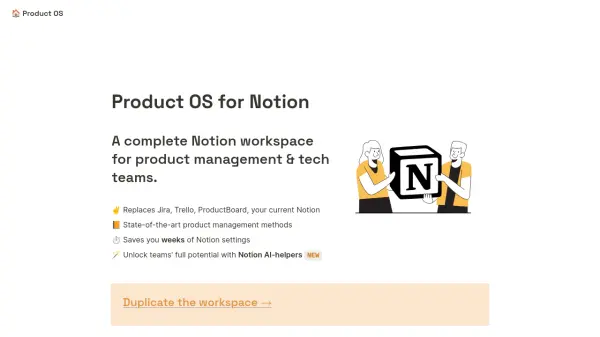
Product OS for Notion offers a structured workspace within Notion tailored specifically for product management and technology teams. It aims to centralize information and workflows, serving as an alternative to tools such as Jira, Trello, and ProductBoard. This pre-built template is designed to save teams significant time otherwise spent on setting up and configuring Notion from scratch, providing a ready-to-use environment.
The workspace incorporates established product management methodologies, inspired by Marty Cagan's "Inspired," covering aspects from company vision to specific tasks. It facilitates better alignment and organization across teams by providing a unified platform accessible to the entire company. For enhanced productivity, optional Notion AI helpers can be integrated (requires a Notion AI subscription) to assist with various product management tasks.
Features
- Homepage Dashboard: Centralized view of product activities.
- Sprint Management: Tools for planning and tracking sprints.
- Backlog Management: Organize and prioritize product tasks and tickets.
- Epics & Roadmap: Define and visualize high-level initiatives and product direction.
- Objectives & Key Results (OKRs): Set and track company and product goals (Ultimate/Scale plans).
- Opportunity Solution Tree: Visualize and explore solutions for product opportunities (Ultimate/Scale plans).
- Documentation Hub: Central repository for product documentation (Ultimate/Scale plans).
- Experiments Tracker: Manage and analyze product experiments (Ultimate/Scale plans).
- Notion AI-Helpers: Integrated prompts for various PM tasks like summarizing feedback, brainstorming, writing user stories (Scale plan, requires Notion AI).
- Jira & GitHub Sync: Real-time (one-way) synchronization with Jira and GitHub tickets/issues.
- Multi-Team Support: Manage workflows for multiple product teams (Scale plan).
- Sprints & Tickets Analytics: Provides insights into sprint performance and ticket data.
Use Cases
- Replacing Jira/Trello for product and project management.
- Centralizing product discovery, planning, and delivery in Notion.
- Implementing structured product management processes (OKRs, Opportunity Solution Trees).
- Learning product management best practices through examples.
- Streamlining workflows for product managers, CPOs, and tech leads.
- Utilizing AI for product management tasks within Notion.
- Synchronizing Notion workspace activities with Jira or GitHub.