What is PixPlant?
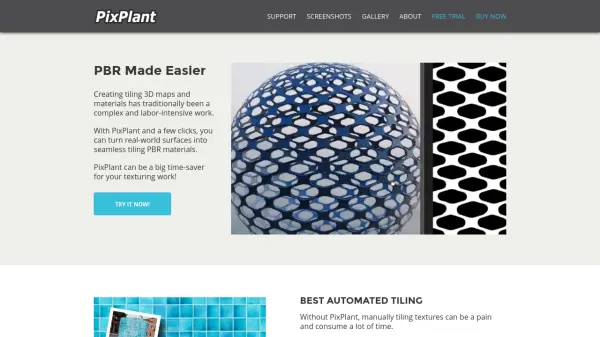
PixPlant is a specialized tool designed to accelerate the creation of seamless tiling 3D materials and textures from real-world photos. By utilizing advanced automation, users can generate professional-grade, tileable PBR (Physically-Based Rendering) material maps such as Base Color, Metallic, Roughness, Displacement, Normal, Ambient Occlusion, and Opacity with just a few clicks.
With a user-friendly interface, PixPlant offers a robust tiling materials editor, various tools to edit and transfer features between 3D map types, and instant exporting capabilities for popular platforms like Blender, 3ds Max, VRay, Unreal, and Unity. It’s highly suitable for industries ranging from product and fashion design to game development and visual effects, promising substantial time savings in the texturing workflow.
Features
- Automated Tiling Creation: Instantly generates seamless tiling maps from photos or scanned textures.
- PBR Material Extraction: Extracts comprehensive PBR maps including Base Color, Metallic, Roughness, Displacement, Normal, Ambient Occlusion, and Opacity from real-world images.
- Tiling Materials Editor: Offers intuitive tools for editing, extracting, and transferring features between different 3D map types.
- 3D Preview with PBR Rendering: Visualizes textures with real-time PBR rendering and supports both PBR and traditional Diffuse-Specular workflows.
- Extensive Export Options: Exports materials easily to Blender, 3ds Max, VRay, Maxwell, Unreal, Unity, and other popular 3D environments.
- Integrated Tutorial System: Provides contextual help and step-by-step interactive tutorials for efficient onboarding.
- Photoshop Plugin Support: Contains a dedicated plug-in for Adobe Photoshop.
Use Cases
- Creating seamless 3D textures for game environments
- Designing realistic PBR materials for architectural visualization
- Rapid prototyping of product textures in industrial and fashion design
- Developing visual effects assets for film and advertising
- Editing and enhancing scanned material maps for realism
- Exporting tileable materials to major 3D rendering engines
FAQs
-
What platforms can PixPlant materials be exported to?
PixPlant allows users to export materials to Blender, 3ds Max, VRay, Maxwell, Unreal, Unity, and other leading 3D content creation and rendering tools. -
Can I use PixPlant with Photoshop?
Yes, PixPlant includes a dedicated plug-in for Adobe Photoshop to streamline your texturing workflow. -
What types of texture maps can be extracted using PixPlant?
PixPlant can extract Base Color, Metallic, Roughness, Displacement, Normal, Ambient Occlusion, and Opacity maps from real-world photos. -
Is PixPlant suitable for beginners?
Yes, PixPlant features an easy-to-use interface and includes contextual help and step-by-step interactive tutorials for new users.