

What is Permission Slip?
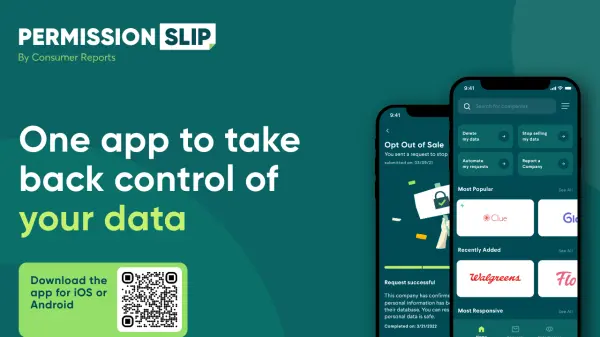
Permission Slip is a mobile app that empowers you to take control of your personal data. It lets you discover what data companies collect about you, request them to stop selling your information, and delete unwanted accounts. The app offers both a free version and a Plus subscription with enhanced automation and concierge support.
Features
- Data Discovery: Find out what personal data companies collect about you.
- Opt-Out Requests: Easily request companies to stop selling your personal information.
- Account Deletion: Delete unwanted accounts and associated data with a tap.
- Request Tracking: Monitor the status of your data requests.
- Bulk Requests: Select and send opt-out requests to up to 50 companies at once (Plus).
- Auto Opt-Out: Automatically opt-out from 100+ data brokers (Plus).
- Concierge Service: Dedicated agents handle complex requests for you (Plus, up to 25).
Use Cases
- Protecting personal privacy by opting out of data selling.
- Deleting old or unwanted online accounts.
- Reducing spam and unwanted marketing by limiting data sharing.
- Monitoring which companies have your data and taking action.
FAQs
-
What is Permission Slip?
Permission Slip is a mobile app by Consumer Reports that helps you control your personal data by requesting companies to stop selling it and delete your accounts. -
Is Permission Slip free?
Yes, there is a free version with basic features. A Plus subscription offers advanced automation and concierge support. -
How does Permission Slip work?
You browse companies, select the ones you want to contact, and the app sends data privacy requests on your behalf. You can track the status of each request.