What is Oversecured?
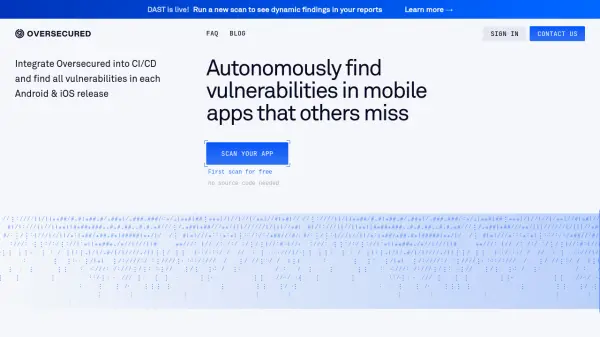
Oversecured provides automated security scanning for mobile applications, combining static application security testing (SAST) and dynamic application security testing (DAST) to identify vulnerabilities in Android and iOS apps. The platform operates without requiring source code access, scanning compiled applications to detect security flaws such as unauthorized code execution, data exposure, and cross-site scripting vulnerabilities.
The system features a continuously updated rule-set with over 175 Android and 85 iOS vulnerability categories, achieving 99.8% detection accuracy in independent testing. Integration capabilities allow security teams to push findings into existing workflows through Jira, Slack, or custom dashboards via API, while context-aware ranking helps prioritize the most critical vulnerabilities based on business impact.
Features
- Dual-Engine Scanning: Combines SAST with low false-positive rates and DAST with working proof-of-concept generation
- Continuously Updated Rule-Set: Weekly new checks covering 175+ Android and 85+ iOS vulnerability categories
- Dev-Friendly API & Integrations: Push results into Jira, Slack, or custom dashboards with single endpoint
- Context-Aware Ranking: Maps findings to business impact to focus on top 20% of vulnerabilities
- CI/CD Integration: Plugs into any continuous integration pipeline to block vulnerable builds
Use Cases
- Automated security testing for mobile app releases
- Vulnerability detection in Android and iOS applications
- CI/CD pipeline security integration
- Security team workflow optimization
- Mobile app penetration testing automation
FAQs
-
How does Oversecured work?
Oversecured automatically scans mobile apps for all known vulnerabilities, such as unauthorized code execution, file theft, and cross-site scripting. It provides detailed reports and recommendations on how to address and resolve these vulnerabilities. -
How can Oversecured benefit my business?
Oversecured helps minimize the risks of potential financial and reputational losses due to data breaches. By automating the vulnerability detection and remediation process, it saves time and resources for your security team, allowing them to focus on other priorities. Additionally, it provides valuable insights to improve your team's workflow and prioritize critical vulnerabilities. -
Is Oversecured suitable for all types of mobile apps?
Yes, Oversecured is designed to work with all mobile application platforms, including iOS and Android. Whether you have a small business app or a large enterprise application, Oversecured can help identify and mitigate vulnerabilities. -
How long does it take to integrate Oversecured into my existing workflow?
Integrating Oversecured into your existing workflow is a straightforward process. Our team will guide you through the integration steps, and the time required will depend on the complexity of your infrastructure. We aim to make the integration process as seamless as possible to ensure minimal disruption to your operations. -
What level of support do you provide?
We provide comprehensive support to our customers. Our team is available to answer any questions, provide technical assistance, and help you make the most of our solution. We offer various support channels, including email, phone, and live chat.