What is onury.io?
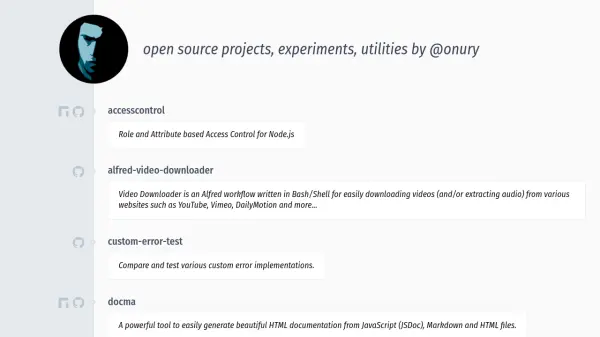
onury.io is a repository of open source projects, experiments, and utilities developed by @onury. The platform offers various tools designed to assist developers in tasks such as access control, documentation generation, and video downloading. These projects are built with technologies like Node.js, JavaScript, and Bash/Shell, providing practical solutions for common development challenges.
The collection includes utilities for geolocation, color inversion, and testing custom error implementations, among others. Each tool is open source, allowing developers to use, modify, and contribute to the codebase. The projects are maintained to support modern development workflows and integrate with popular frameworks and platforms.
Features
- AccessControl: Role and Attribute based Access Control for Node.js
- docma: Generates HTML documentation from JavaScript, Markdown, and HTML files
- alfred-video-downloader: Downloads videos and extracts audio from websites like YouTube and Vimeo
- geolocator: Provides geo-location information, geocoding, and timezone data
- invert-color: Generates inverted versions of given colors
Use Cases
- Implementing role-based access control in Node.js applications
- Generating documentation for JavaScript projects
- Downloading videos from online platforms for offline use
- Testing custom error implementations in software development
- Retrieving geolocation data for web applications