Odea favicon

Odea
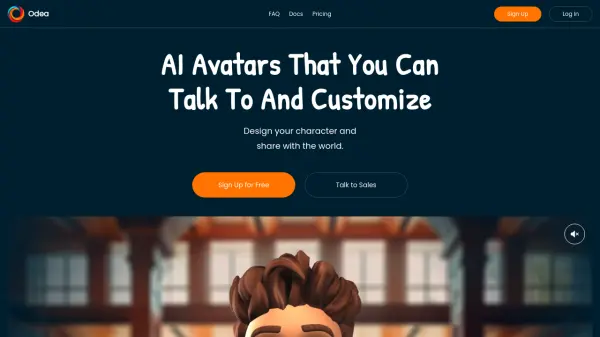
AI Avatars That You Can Talk To And Customize

What is Odea?

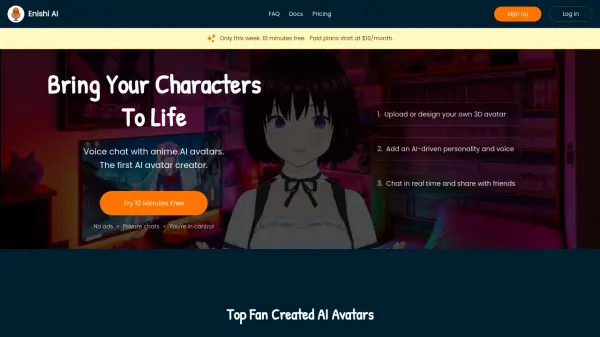
Odea provides a platform for creating and interacting with personalized 3D AI avatars. Users can meticulously design their characters, defining their voice, appearance, personality traits, and the specific knowledge they possess. This allows for the development of unique and engaging virtual personas.

The platform supports real-time voice conversations with these AI avatars, offering an interactive experience. Odea is designed for individuals and businesses looking to integrate conversational AI characters into their projects or workflows, with options to embed these avatars for broader application.

Features

  • Customizable 3D Avatars: Design your character's voice, appearance, and personality.
  • Background Knowledge Customization: Define the knowledge base for your AI avatar.
  • Real-time Voice Interaction: Talk to your avatars using your voice in real-time.
  • Avatar Embedding: Access to embed AI avatars into your own platforms or projects.
  • Unlimited Avatar Creation: Create as many AI avatars as needed (available in all plans).

Use Cases

  • Creating interactive virtual assistants.
  • Developing personalized AI companions.
  • Building engaging characters for storytelling or entertainment.
  • Integrating conversational AI into business applications for enhanced user experience.
  • Prototyping AI-driven customer service agents.

Related Tools:

Blogs:

  • Top 6 AI note-taking tools for 2026: in-person, online, and hybrid use cases

    Top 6 AI note-taking tools for 2026: in-person, online, and hybrid use cases

    Most AI note-taking lists are really lists of meeting bots, which join your video call and transcribe it. That's useful, but it's half the picture. Decisions happen in hallway conversations, client dinners, on-site visits, and hybrid rooms where nobody is on a video link. This guide covers different parts of the note-taking workflow: hardware capture for in-person settings, platform-native tools for online calls, and AI layers for organizing and synthesizing what you've captured. It compares six tools by capture context, workflow fit, pricing, and limitations.

  • Chat with PDF AI Tools

    Chat with PDF AI Tools

    Easily interact with your PDF documents using our advanced AI-powered tool. Whether you're reading lengthy reports, research papers, contracts, or eBooks, our platform lets you chat directly with your PDF files, ask questions, extract insights, and get summaries in real-time.

  • AI Testimonial Videos: How to Build Social Proof That Actually Converts

    AI Testimonial Videos: How to Build Social Proof That Actually Converts

    AI testimonial videos are transforming marketing in 2026 by helping businesses create professional customer-style videos quickly and affordably. Using real customer reviews, short scripts, and AI tools like Pollo AI, brands can produce engaging testimonials for social media, landing pages, and ads while saving time and improving conversions.

  • Best AI tools for Product Photography

    Best AI tools for Product Photography

    Explore top AI tools that can elevate your product photography, helping you enhance images, streamline workflows, and create professional visuals with ease.

Didn't find tool you were looking for?

Be as detailed as possible for better results