

What is Mystro?
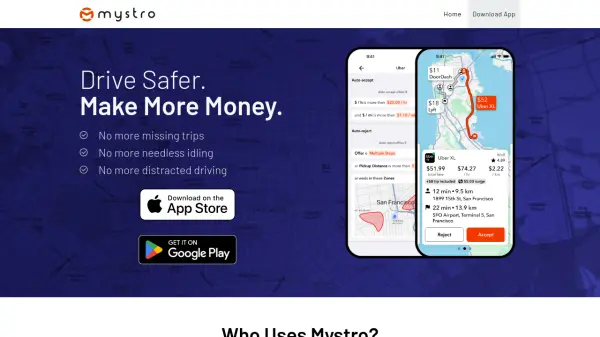
Mystro is designed to help rideshare drivers optimize their earnings and improve safety by intelligently managing multiple ride-hailing applications. The app automatically switches between apps, filters out unprofitable trips, and accepts desirable rides without requiring manual phone interaction. This allows drivers to stay focused on the road while maximizing their availability across platforms.
By leveraging AI technology, Mystro provides features like auto-switching, trip filtering, and aggregated earnings history. Drivers can avoid distractions, reduce idle time, and increase their overall productivity. The tool aims to create a safer driving environment by minimizing the need to touch or look at the phone during trips.
Features
- App Switching: Automatically toggles all ride-hailing apps on and off
- Trip Filtering: Filters out unprofitable trips to maximize earnings
- Auto-Accept: Automatically accepts trips that meet driver preferences
- Aggregated History: Provides complete earnings history across all apps
- Safety Focus: Reduces phone interaction to keep drivers focused on the road
Use Cases
- Maximizing earnings for rideshare drivers
- Reducing distracted driving while using multiple ride-hailing apps
- Automating trip acceptance based on profitability criteria
- Managing multiple ride-hailing platforms simultaneously
- Tracking and analyzing earnings across different apps