What is MetaLogic Software?
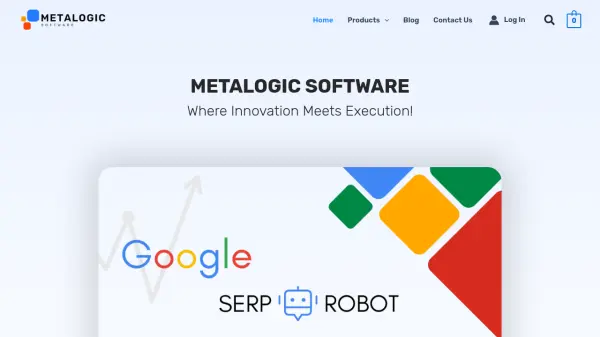
MetaLogic Software offers a comprehensive range of user-friendly Windows OS applications designed to streamline and automate essential business tasks. Their products include advanced solutions for SEO optimization, such as the MetaLogic SERP Robot, which helps users improve their Google rankings and increase website traffic effectively. Additionally, the platform provides powerful tools for extracting text from images through Screen OCR, supporting over 125 languages with a simple interface, and efficient batch video watermarking to protect multimedia content with minimal effort.
The MetaLogic suite also includes tools for barcode scanning, bulk email validation, video-to-audio conversions, and diagram design, catering to diverse professional needs. Each product is developed with a focus on lightweight downloads, world-class design, and premium support to deliver efficiency, reliability, and an enjoyable user experience. MetaLogic’s dedication to continuous product improvement empowers users to save time and money while leveraging the latest technology for business growth.
Features
- SEO Optimization: Comprehensive Google SERP Robot for boosting website rankings and organic traffic.
- Screen OCR: Extracts editable text from images and supports over 125 languages.
- Bulk Video Watermarking: Add watermarks to multiple videos in one click for content protection.
- Barcode Scanning: Batch 1D and 2D barcode capture for seamless workflow integration.
- Bulk Email Validation: Ensures emails reach the correct inbox with high accuracy.
- Diagram Design: Simple tool for creating high-quality diagrams and flowcharts.
- User-Friendly Interface: All products feature intuitive designs for fast adoption.
- Premium Support: Fast response times and 7-day money-back guarantee on all products.
Use Cases
- Boosting website Google rankings through automated SEO tools.
- Extracting text from images for documentation, translation, or accessibility purposes.
- Batch watermarking videos to safeguard digital content before publication.
- Validating large volumes of email addresses for marketing campaigns.
- Efficient barcode scanning for inventory or asset management.
- Designing business process diagrams and flowcharts without complex software.
FAQs
-
What operating system do MetaLogic Software products support?
MetaLogic Software products are designed for Windows operating systems. -
Does MetaLogic offer a money-back guarantee?
Yes, a 7-day money-back guarantee is available for all MetaLogic products. -
Is customer support available for MetaLogic Software users?
Premium support is offered with fast response times for all users. -
Are free trials available for MetaLogic tools?
MetaLogic Software provides free trials, allowing users to test products before purchasing.