What is Melody ML?
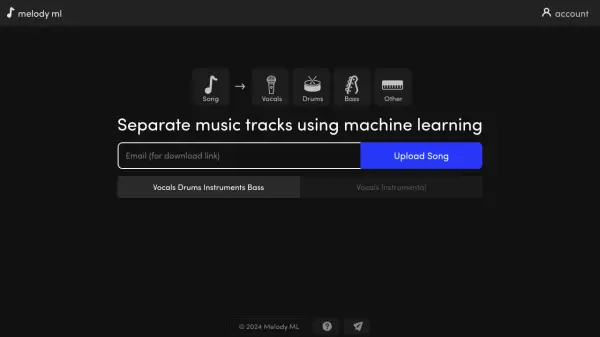
Melody ML offers professional-grade audio separation technology that employs machine learning to break down songs into their constituent components. The service efficiently isolates vocals, drums, bass, and other instrumental elements from any given music track, providing high-quality stem separation for music producers, musicians, and audio enthusiasts.
The platform supports multiple audio formats including MP3, WAV, FLAC, and OGG/Vorbis, with capabilities to process files up to 100MB in size and songs up to 10 minutes in length. Processed files remain available for download for a duration of one month, ensuring users have ample time to access their separated tracks.
Features
- Audio Track Separation: Splits songs into vocals, drums, bass, and other instruments
- Multiple Format Support: Compatible with MP3, WAV, FLAC, and OGG/Vorbis formats
- File Management: 1-month storage of processed files
- Processing Capacity: Handles files up to 100MB and 10-minute duration
- Quick Processing: Takes 1-20 minutes per song
Use Cases
- Music production and remixing
- Vocal isolation for karaoke
- Instrumental track creation
- Music education and analysis
- Audio engineering practice
FAQs
-
What is the maximum file size and song length supported?
The maximum file size is 100MB and the maximum song length is 10 minutes. -
Which audio formats are supported?
MP3, WAV, FLAC, and OGG/Vorbis formats are supported. -
How long are processed files kept for?
Processed files are available to download for 1 month. -
How much does it cost?
After 2 free songs, each song costs $0.50. -
Does Melody ML own or share uploaded songs?
No, Melody ML does not own, share, or take authorship of uploaded songs.