What is Maze?
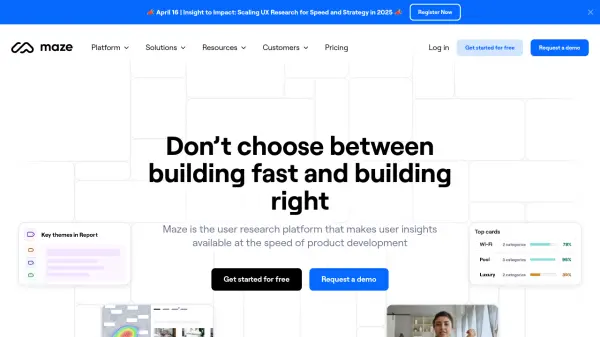
Maze streamlines the user research process, enabling teams to gather actionable insights rapidly throughout the product development lifecycle. It empowers entire product organizations, regardless of research maturity, to collect user feedback efficiently, transitioning focus from mere data collection to driving critical business and product decisions.
The platform supports various research methodologies, including moderated interviews enhanced with AI for faster synthesis, usability testing on prototypes to validate ideas before development, and continuous feedback mechanisms. It automates the generation of visually rich reports, incorporating detailed path analysis and heatmaps to understand user behavior. Features like AI-powered summaries and themes significantly reduce manual analysis time. Maze emphasizes security and compliance, being SOC 2 Type II certified and GDPR compliant.
Features
- AI-Powered Insights: Utilizes AI for automated transcripts, summaries, and themes to accelerate insight synthesis.
- Participant Recruitment: Offers access to a diverse global panel with filtering or tools to manage your own user community.
- Moderated Interview Support: Simplifies conducting and analyzing moderated user interviews.
- Prototype & Usability Testing: Enables validation of usability across prototypes with real users before development.
- Card Sorting: Helps define information architecture by understanding how users group information.
- Automated Reporting: Generates ready-to-share reports with visualizations automatically.
- Behavior Analysis Tools: Includes path analysis and visual heatmaps to understand user interactions and struggles.
- Team Collaboration Features: Supports shared workspaces, role-based access, and commenting for team alignment.
Use Cases
- Accelerating product development with rapid user feedback.
- Validating design concepts and prototypes before coding.
- Conducting and analyzing moderated user interviews efficiently.
- Optimizing website or app navigation using card sorting.
- Democratizing user research across different teams.
- Continuously measuring customer satisfaction and testing new ideas.
- Generating data-driven reports for stakeholder communication and decision-making.
- Identifying usability issues early in the design process.
FAQs
-
What is a study in Maze?
A study is a unit of research in Maze. For unmoderated research, it refers to a live maze. For interview studies, it refers to an interview study with at least one session. -
What is a project in Maze?
Projects function as folders where you can organize multiple studies. Adding a study to a project makes it an active project. -
What payment options are available?
Maze accepts all major credit cards. Invoiced billing and wire transfers are available exclusively on the Organization plan. -
How can I cancel my subscription plan?
You can cancel your subscription at any time through your account settings. -
What is team management?
Team management allows assigning different user roles based on responsibilities, controlling team access and permissions. It is available on the Starter and Organization plans.