What is Loudplay?
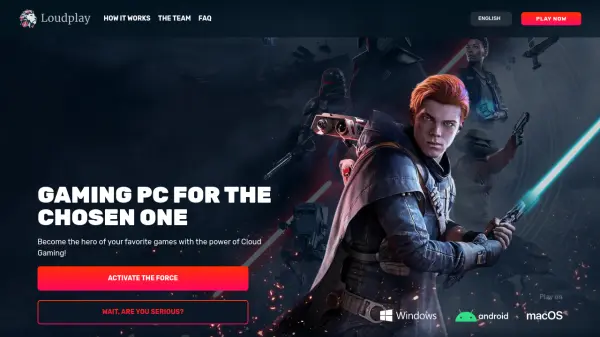
Loudplay is a cloud gaming service that enables users to transform any device into a high-performance gaming PC. By providing a powerful Cloud PC with no limits, it allows access to a full Windows desktop on PCs, Macs, or Android devices. Users can install any game or application without concerns about storage or data issues, leveraging a 1 Gbps internet connection for fast downloads.
The platform works on devices running Windows, macOS, or Android, requiring only a stable internet connection of at least 10 Mbps for smooth gameplay. It supports games from popular stores like Steam, Epic Games, and Origin, with no need to repurchase already-owned titles. Some Cloud PCs come with pre-installed licensed games for immediate play, and users can customize settings for an optimized experience.
Features
- Cloud PC Access: Provides a full Windows desktop on any device without hardware limitations
- Game Installation Freedom: Allows installation of any game from stores like Steam, Epic Games, and Origin
- High-Speed Downloads: Uses a 1 Gbps internet connection for blazing-fast game downloads
- Cross-Device Compatibility: Works on Windows, macOS, and Android devices
- Pre-Installed Games: Some Cloud PCs come with licensed games ready to play immediately
Use Cases
- Gaming on low-spec devices without expensive hardware upgrades
- Accessing PC-exclusive games on Mac or Android devices
- Playing games while traveling or away from home setup
- Testing new games without full installations on personal devices
- Sharing gaming experiences with friends through referral bonuses
FAQs
-
What internet speed is required for smooth gameplay on Loudplay?
A stable internet connection of at least 10 Mbps is required, with 30 Mbps or higher recommended for the best experience, using Ethernet or 5GHz Wi-Fi. -
Can I play games I already own on Loudplay?
Yes, if you have purchased a game from stores like Steam, Epic Games, or Origin, you can install it on your Cloud PC without buying it again. -
What devices are compatible with Loudplay?
Loudplay works on any device running Windows, macOS, or Android, as long as it can play YouTube videos at the desired quality. -
Are there any pre-installed games available?
Some Cloud PCs come with pre-installed licensed games, allowing you to start playing immediately without downloads.