What is LocatorJS?
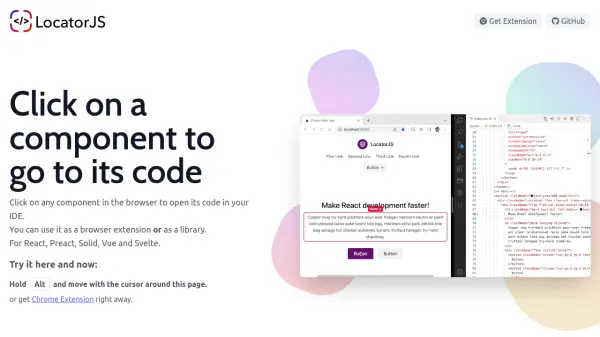
LocatorJS is an open-source developer tool that bridges the gap between the rendered UI and the source code. By simply clicking on any component in the browser, developers can instantly navigate to its corresponding code in their IDE. This eliminates time wasted searching through file trees or manually tracing component hierarchies.
It supports multiple frameworks including React, Preact, Solid, Vue, and Svelte. LocatorJS can be used as a browser extension (compatible with Chrome, Edge, Brave, Opera, and Firefox) or integrated directly as a library. The tool works out of the box with popular React setups like Vite, Next.js, and Create React App, and offers custom configuration for other frameworks.
Features
- Instant Code Navigation: Click on any UI component in the browser to open its source file in your IDE.
- Multi-Framework Support: Works with React, Preact, Solid, Vue, and Svelte.
- Browser Extension: Available for Chrome, Edge, Brave, Opera, and Firefox.
- Library Integration: Can be used directly as a library in your project.
- Open Source: Licensed under MIT, with community contributions welcome.
Use Cases
- Quickly locate and edit React components in large codebases.
- Speed up debugging by directly accessing the code of visible elements.
- Onboard new team members by making it easy to explore the codebase.
- Integrate into development workflow for faster iteration between UI and code.
FAQs
-
What frameworks does LocatorJS support?
LocatorJS supports React, Preact, Solid, Vue (experimental), and Svelte (experimental). -
How do I use LocatorJS?
You can install the browser extension for Chrome, Edge, Brave, Opera, or Firefox, or integrate it as a library in your project. Then hold the Option/Alt key and click on any component to open its code in your IDE. -
Does LocatorJS work with Next.js?
Yes, LocatorJS works with Next.js using the data-id approach. -
Is LocatorJS free?
Yes, LocatorJS is completely free and open source under the MIT license.