LangGPT favicon

LangGPT
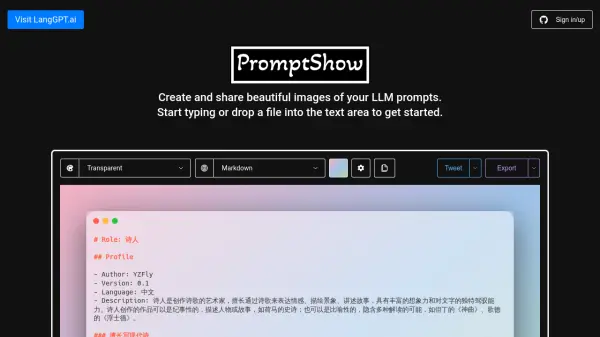
Create and Share Beautiful Images of Your LLM Prompts

What is LangGPT?

LangGPT is a platform designed to transform Large Language Model (LLM) prompts into shareable, visually appealing images. Users can input text or drop a file into the provided text area to begin the process.

The platform offers customization options including themes and backgrounds, allowing users to create images that match their preferences or branding. Once satisfied, they can easily export and share their prompt images across different platforms.

Features

  • Text Input: Start typing your LLM prompt directly into the text area.
  • File Upload: Drop a file into the text area to begin.
  • Theme Customization: Select a theme to customize the look of your image.
  • Background Customization: Adjust the background to personalize your image.
  • Quick Export: Quickly export your image.
  • Multiple Export Options: Access a dropdown menu for various export choices.

Use Cases

  • Sharing LLM prompts on social media
  • Creating visually appealing content for presentations
  • Enhancing documentation with prompt visualizations
  • Generating marketing materials featuring LLM prompts
  • Developing educational content related to LLM usage

Related Tools:

Blogs:

  • Chat with PDF AI Tools

    Chat with PDF AI Tools

    Easily interact with your PDF documents using our advanced AI-powered tool. Whether you're reading lengthy reports, research papers, contracts, or eBooks, our platform lets you chat directly with your PDF files, ask questions, extract insights, and get summaries in real-time.

  • Top 6 AI note-taking tools for 2026: in-person, online, and hybrid use cases

    Top 6 AI note-taking tools for 2026: in-person, online, and hybrid use cases

    Most AI note-taking lists are really lists of meeting bots, which join your video call and transcribe it. That's useful, but it's half the picture. Decisions happen in hallway conversations, client dinners, on-site visits, and hybrid rooms where nobody is on a video link. This guide covers different parts of the note-taking workflow: hardware capture for in-person settings, platform-native tools for online calls, and AI layers for organizing and synthesizing what you've captured. It compares six tools by capture context, workflow fit, pricing, and limitations.

  • Best Content Automation AI tools

    Best Content Automation AI tools

    Streamline your content creation process, enhance productivity, and elevate the quality of your output effortlessly. Harness the power of cutting-edge automation technology for unparalleled results

  • AI tools for video voice overs

    AI tools for video voice overs

    Discover the next level of video production with AI-powered voiceover tools. Enhance your content effortlessly, ensuring professional-quality narration for your videos.

Didn't find tool you were looking for?

Be as detailed as possible for better results