

What is Jestor?
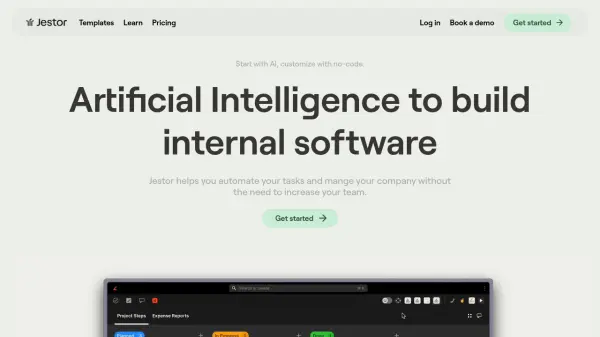
Jestor is a platform designed to help businesses build internal software using Artificial Intelligence. Jestor allows businesses to automate their processes and develop custom tools to manage their operations. It provides an all in one solution for companies that are growing.
Jestor offers features like task and project management, SLA calculation, form creation, and kanban boards. It emphasizes a no-code approach, allowing users to build and customize applications by dragging and dropping blocks, without needing extensive programming knowledge.
Features
- Tasks and To-Dos: Create tasks, add deadlines, statuses, comments, and assignees. Manage personal and team tasks on the same screen.
- SLA Calculation: Track a full history of all phase changes and set multiple SLAs for each process.
- Automations and Integrations: 370+ Native Automations and Integrations, no-code. Send emails, Slack, Teams, generate PDFs, and use AI.
- Customizable Forms: Build forms with conditional fields, pagination, and full customization of colors, sizes, and styles. Easily add videos, links, and photos.
- No-Code Tool Builder: Customize apps and tables for your processes by dragging blocks.
- Kanban Boards: Manage processes by phases and add automations and buttons.
- Email Integration: Communicate with clients using card-specific native email to organize conversations.
- Conversation Channels: Organize team communication with business chats, centralizing comments.
- Mobile Accessibility: Access all tools, including tables, Kanbans, forms, and apps, directly from a mobile device.
Use Cases
- Ticket Management
- Approval Workflow
- Operation Custom Tools
- Sales and CRM
- Tasks and Projects Management
FAQs
-
What can be replaced with Jestor?
Jestor can replace or integrate with various tools including email, WhatsApp, spreadsheets, Kanban tools (Trello, Pipefy), task and productivity apps (Monday.com, ClickUp, Asana, Jira), form builders (Typeform, Google Forms), table software (Airtable, Notion), internal app builders (AppSheet, Retool), CRM systems (Pipedrive, Zoho CRM), automation tools (Zapier, Make), chat platforms (Slack, Teams), and ticketing systems (Zendesk).