What is InnBuilt?
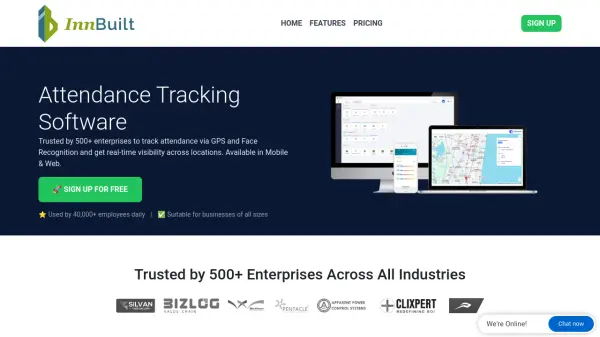
InnBuilt is a comprehensive workforce management platform designed to automate attendance tracking and field operations through advanced AI technologies. The software leverages GPS and face recognition to enable seamless punch-in/out functionality across mobile, web, biometric, and kiosk interfaces. It provides real-time visibility into employee attendance, location, and activities across multiple branches and locations.
The platform offers extensive automation capabilities including smart shift rules, leave management, payroll processing, and field data collection. It supports various business operations such as field sales, service, and delivery workflows with live tracking and instant approvals. InnBuilt helps organizations maintain accurate records, improve operational efficiency, and reduce administrative overhead through its integrated suite of workforce management tools.
Features
- Live Attendance Tracking: Punch in/out using Mobile, Web, Biometric, or Kiosk with GPS and Face Recognition
- Smart Shift Rules: Automate attendance policies for late coming, half-days, weekly offs, and overtime
- Journey Tracking: Capture employee routes in real-time with pit stops and travel path playback
- Geo-fence & GPS Alerts: Instant notifications for entry, exit, boundary breaches, and signal loss
- Field Data Collection: Capture data, photos, signatures, and barcodes with geo-tags from mobile devices
- Payroll Automation: End-to-end payroll management with auto salary calculations and compliance updates
- Multi Branch Support: Real-time information from all branches across various locations
- Mobile App: Available for both Android and iOS devices for employee self-service
Use Cases
- Automating attendance tracking for remote and field employees
- Managing multi-location workforce operations
- Streamlining leave and attendance approval processes
- Monitoring field sales and service team activities
- Automating payroll calculations based on attendance data
- Tracking employee routes and travel patterns for field operations
- Collecting field data with geotagged information
- Managing shift schedules and overtime policies
FAQs
-
What devices are supported for attendance tracking?
The platform supports mobile devices (Android and iOS), web browsers, biometric devices, and kiosk systems for attendance tracking. -
How does the face recognition feature work?
The face recognition technology validates employee identity during punch-in/out processes to ensure accurate attendance recording. -
Can the software handle multiple business locations?
Yes, the platform offers multi-branch support with real-time information from all locations across various geographical areas. -
What types of reports can be generated?
The system generates detailed attendance, leave, overtime, and operational reports that can be downloaded instantly for analysis. -
How does the field data collection feature work?
Employees can capture data, photos, signatures, and barcode information with geo-tags directly from their mobile devices during field operations.