What is html2pdf.app?
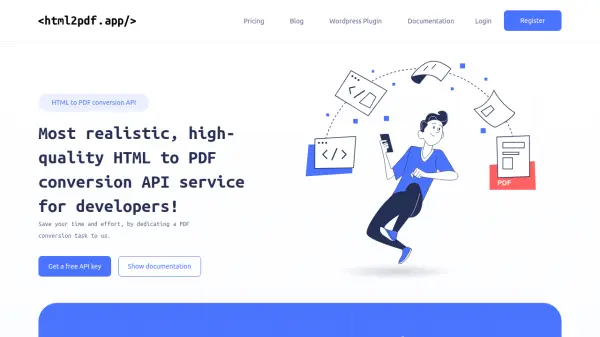
html2pdf.app provides a browser-based HTML to PDF conversion engine that delivers realistic, high-quality PDF outputs. It supports modern HTML, CSS, and JavaScript, allowing developers to convert web content seamlessly. The service offers raw HTML support for private conversions, asynchronous requests with callback URLs, and a WordPress plugin for easy integration.
With advanced customization options, including page orientation, size, and other parameters, users can tailor PDF generation to their needs. The platform ensures privacy and security by not storing documents on its servers. It processes over 1.7 million conversions monthly with an average time of 1.8 seconds and 99.9% uptime reliability.
Features
- Browser-based HTML to PDF Engine: High quality PDF conversion solution supporting modern HTML, CSS, and JavaScript
- Raw HTML Support: Convert raw HTML without exposing URLs publicly
- Asynchronous request: Get conversion results via callback URL once processing is complete
- Wordpress plugin: Convert WordPress pages or posts to PDF using a simple shortcode
- Advanced Options: Numerous parameters to modify conversion results
- Private & Secure: Documents are not stored on servers
Use Cases
- Converting web pages to PDF for documentation
- Generating PDF reports from HTML content
- Creating downloadable PDFs from WordPress posts or pages
- Producing high-quality PDFs from raw HTML for private use
- Automating PDF generation in development workflows
FAQs
-
What is the credit system for pricing?
Each 5MB chunk of the generated document equals 1 credit; for example, a 15MB document costs 3 credits. -
Is there a free plan available?
Yes, there is a Free plan offering 100 credits per month and up to 1MB per file. -
What programming languages are supported for integration?
Code samples are provided for cURL, PHP, Node.js, Python, Ruby, Java, and Go. -
How does the asynchronous request feature work?
It allows users to get conversion results via a callback URL once processing is complete. -
Are documents stored on your servers?
No, documents are not stored on servers to ensure privacy and security.