What is Headlessforms?
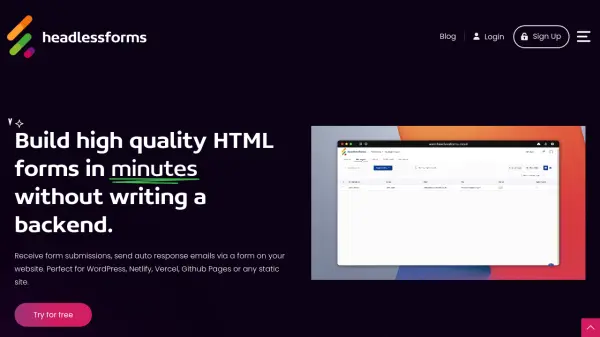
Headlessforms offers a robust backend solution designed for developers and non-developers to manage HTML form submissions efficiently without needing server-side code. Users simply integrate a custom Headlessforms endpoint into their existing static HTML form's action attribute. This allows for real-time collection of form data directly into a user-friendly dashboard.
The platform enhances form functionality with features like automated, customizable email notifications and auto-responses, advanced spam filtering leveraging server-side validation and machine learning, and seamless integrations with numerous third-party applications via direct connections or Zapier. Headlessforms streamlines data management with options for entry viewing, team collaboration, and data export, including Excel format. It also provides a dedicated WordPress plugin for no-code implementation on WordPress sites.
Features
- Form Endpoint Integration: Easily connect any HTML form using a provided endpoint URL.
- Spam Filtering: Utilizes server-side validation, machine learning, and HoneyPot fields to prevent spam.
- Automated Emails: Send custom email notifications and auto-responses automatically upon submission.
- Third-Party Integrations: Connects with tools like Zapier, Salesforce, Mailchimp, HubSpot, and more.
- User-Friendly Dashboard: Centralized platform to view, manage, and export submissions.
- Conditional Logic: Automate submission processing based on user input criteria.
- Entry Management: Compile, view, and provide access to submission data for teams or clients.
- File Uploads Support: Allows forms to accept and store file uploads.
- WordPress Plugin: Offers a no-code solution for integrating forms on WordPress websites.
- Data Export: Download form submissions easily, including options for Excel format.
- Instant Notifications: Receive real-time alerts for new form submissions.
Use Cases
- Creating contact forms for static websites (WordPress, Netlify, Vercel, Github Pages).
- Building and managing newsletter subscription forms.
- Implementing lead generation forms with automated follow-ups.
- Setting up forms that require users to upload files.
- Automating email responses for inquiries or sign-ups.
- Integrating website form data directly into CRMs or marketing automation tools.
- Providing a simple form backend solution for client websites.
- Collecting feedback or survey responses through website forms.
FAQs
-
Who Should Use Headlessforms?
Headlessforms is suitable for bloggers, business owners, designers, developers, photographers, and anyone needing to create and manage online forms, particularly for static or WordPress websites. -
Do I Need Coding Skills to Use Headlessforms?
No, Headlessforms is designed to be beginner-friendly. You can create and manage forms without any prior coding knowledge, although developers can leverage HTML/CSS for frontend design. -
Will Headlessforms Slow Down My Website?
No, Headlessforms is built with performance in mind, using best practices and modern standards to ensure it runs smoothly and does not negatively impact website speed. -
Can I Use Headlessforms on Client Sites?
Yes, Headlessforms can be used on client sites. You can either purchase the Elite License or acquire an appropriate license for each individual client's website. -
Are There Custom Plans Available?
Yes, Headlessforms offers custom plans tailored to specific needs. You can contact their support via email with your requirements to discuss custom options.