What is GroupMap?
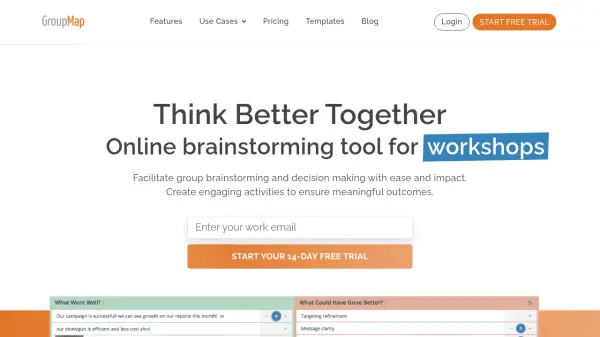
GroupMap is an online brainstorming and decision-making platform designed for meetings, workshops, conferences, and classrooms. It enables facilitators to engage participants in structured activities, capture ideas, and drive meaningful outcomes. With over 80 ready-to-go templates across four styles, users can quickly start brainstorming or customize activities to their goals.
The tool supports a complete workflow from designing activities to delivering outcomes. Facilitators can set anonymity levels, manage participant roles, and use features like timers, polls, and chat. GroupMap also includes AI-powered suggestions, theme detection, and smart summarization to enhance facilitation. Reports provide transparent documentation of group decisions without manual collation.
Features
- Over 80 Templates: Ready-to-go brainstorming templates across 4 styles, including DMAIC, Impact Effort Matrix, Empathy Map, and more.
- AI-Powered Suggestions: AI helps generate ideas, summarize discussions, and uncover key themes.
- Real-Time Collaboration: Participants can contribute ideas simultaneously, with results updated in real time.
- Advanced Facilitator Controls: Lock/unlock steps, set timers, manage anonymity (off, partial, full), and assign roles.
- Comprehensive Reporting: Automatic generation of PDF reports, stage reports, participant activity reports, and individual idea reports.
- Workspaces: Run multiple activities in the same session with the same group of participants.
- Security and Compliance: 264-bit SSL encryption, AES256 at rest, GDPR compliance, SSO via SAML, and 99.9% uptime.
Use Cases
- Facilitating remote or in-person workshops
- Conducting agile retrospectives
- Running brainstorming sessions for innovation
- Educational group activities and classroom discussions
- Strategic planning with frameworks like Business Model Canvas
- Decision making using voting and prioritization tools
- Icebreakers and team building exercises
- Gathering feedback and survey responses
FAQs
-
What happens when my free trial ends?
After the 14-day free trial, you can choose a subscription plan to continue using GroupMap. If you don't subscribe, your access will be limited, but your data will be retained for 90 days before deletion. -
Do team members need their own license?
No, only map creators and facilitators require an active license. Participants invited to join maps do not need their own GroupMap licenses. -
Is GroupMap GDPR compliant?
Yes, GroupMap adheres to GDPR regulations, implementing policies and processes to ensure compliance with data processing. A copy of a Data Processing Agreement may be requested. -
Does GroupMap support SAML/SSO?
Yes, GroupMap supports Single Sign-On (SSO) via SAML, allowing users to authenticate using their existing credentials. -
What currencies does GroupMap support?
All online subscriptions are in USD. We also support AUD, CAD, EURO, GBP, JPY, NZD, and SGD. For other currencies, please contact us.