Godmode favicon

Godmode
Access the Automation Powers of AutoGPT and BabyAGI

What is Godmode?

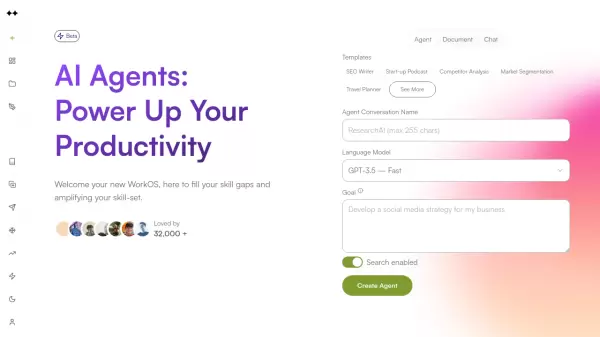
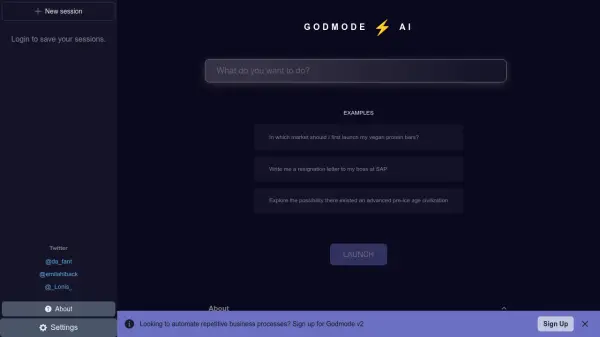
Godmode offers a web-based interface for users to harness the power of autonomous AI agents, specifically AutoGPT and BabyAGI. The platform is designed to make these cutting-edge AI technologies accessible, even in their early stages of development.

It supports both GPT-3.5 and GPT-4 models, providing flexibility and power for a range of automation tasks. The platform simplifies complex AI processes, allowing users to tap into autonomous AI without extensive technical knowledge.

Features

  • AutoGPT Access: Utilize the automation features of AutoGPT.
  • BabyAGI Access: Leverage the capabilities of BabyAGI.
  • GPT-3.5 Support: Run tasks using the GPT-3.5 model.
  • GPT-4 Support: Execute tasks with the more advanced GPT-4 model.
  • Web-Based Interface: Access and manage AI agents through a user-friendly web platform.

Use Cases

  • Automating repetitive business processes
  • Exploring market opportunities
  • Generating written content
  • Conducting research

Related Tools:

Blogs:

  • Chat with PDF AI Tools

    Chat with PDF AI Tools

    Easily interact with your PDF documents using our advanced AI-powered tool. Whether you're reading lengthy reports, research papers, contracts, or eBooks, our platform lets you chat directly with your PDF files, ask questions, extract insights, and get summaries in real-time.

  • Top 6 AI note-taking tools for 2026: in-person, online, and hybrid use cases

    Top 6 AI note-taking tools for 2026: in-person, online, and hybrid use cases

    Most AI note-taking lists are really lists of meeting bots, which join your video call and transcribe it. That's useful, but it's half the picture. Decisions happen in hallway conversations, client dinners, on-site visits, and hybrid rooms where nobody is on a video link. This guide covers different parts of the note-taking workflow: hardware capture for in-person settings, platform-native tools for online calls, and AI layers for organizing and synthesizing what you've captured. It compares six tools by capture context, workflow fit, pricing, and limitations.

Didn't find tool you were looking for?

Be as detailed as possible for better results