What is GitShare?
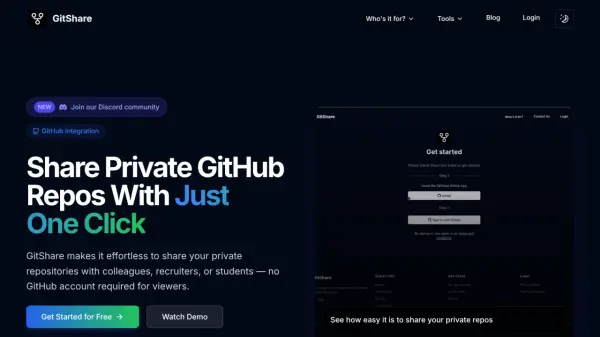
GitShare streamlines the process of sharing private GitHub repositories, making it possible to share code with colleagues, recruiters, or students without requiring them to hold a GitHub account. With its intuitive and secure integration, users can generate shareable, time-limited links to their private repositories in just one click, allowing for seamless collaboration while protecting privacy.
Beyond sharing, GitShare features a powerful AI-based README generator, automatically creating comprehensive, structured documentation tailored to each repository. Detailed analytics and real-time engagement tracking provide valuable insights, while customizable access permissions offer complete control over who can view shared content. All these capabilities operate within a flexible, credit-based pricing system that adapts to casual users and teams alike.
Features
- One-Click Sharing: Instantly generate shareable links for private GitHub repositories.
- No Account Needed: Viewers can access shared repositories without a GitHub account.
- Time-Limited Access: Set expiration dates for each shared link for enhanced security.
- AI README Generator: Create professional, comprehensive documentation automatically using AI.
- Detailed Analytics: Monitor views and engagement for every shared repository.
- Real-Time Notifications: Receive email alerts when your repository is accessed.
- Customizable Permissions: Control and revoke access at any time.
- Flexible Pricing: Credit-based pay-per-use system with scalable options.
Use Cases
- Sharing code samples or technical projects with recruiters during a job search.
- Enabling students to access course materials or assignments in private repositories.
- Collaborating with clients on proprietary code without requiring their GitHub account.
- Providing temporary access to repositories for code review or peer feedback.
- Generating high-quality READMEs for open source or team projects swiftly.
- Tracking access and engagement on shared code repositories for compliance or evaluation.
FAQs
-
What is GitShare?
GitShare is a platform that allows users to share private GitHub repositories through easily generated links, without requiring recipients to have a GitHub account. -
How does the Credit System work?
Each credit allows you to share one private repository and generate one AI-powered README documentation; credits are purchased in packages according to your sharing needs. -
What is the README Generator feature?
The README Generator uses AI to analyze your repository and create a structured, professional README file automatically. -
What kind of analytics does GitShare provide?
GitShare offers detailed analytics on repository views and engagement, including notifications for every access event. -
Can I revoke access to a shared repository?
Yes, you can customize or revoke access permissions at any time via your dashboard, ensuring continuous control over repository sharing.