What is GhostWryter?
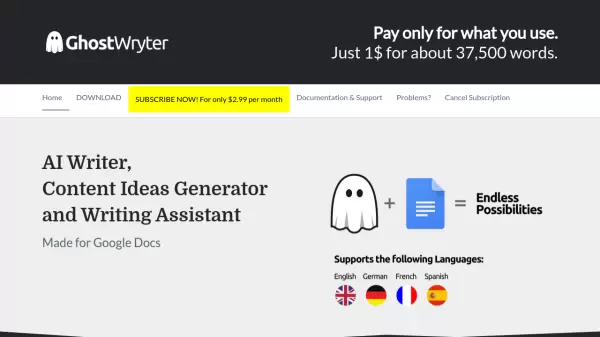
GhostWryter is a specialized AI writing tool designed specifically for Google Docs integration, enabling users to generate high-quality content efficiently. The platform leverages artificial intelligence to create SEO-optimized texts, blog posts, and marketing materials within seconds.
The tool operates on a cost-effective model using OpenAI's technology, where users can generate approximately 750 words for just $0.02 using the advanced Davinci model. This translates to roughly 37,500 words for every dollar spent, making it an economical solution for content creation needs.
Features
- Google Docs Integration: Seamless content generation within Google Docs
- Cost-Effective Content: Generate approximately 37,500 words for $1
- OpenAI Integration: Uses advanced Davinci model for content generation
- SEO Optimization: Creates search engine optimized content
- Rapid Generation: Produces high-quality content in seconds
Use Cases
- Creating SEO-optimized blog posts
- Generating marketing content
- Writing website copy
- Producing digital marketing materials
- Creating business documentation
FAQs
-
How much does it cost to generate content?
It costs $0.02 for 1,000 tokens (approximately 750 words) using the Davinci model, which means you can generate about 37,500 words for $1. -
Do I need my own OpenAI license key?
Yes, you need to use your own OpenAI license key to generate content with GhostWryter.