
What is FlowSavvy?
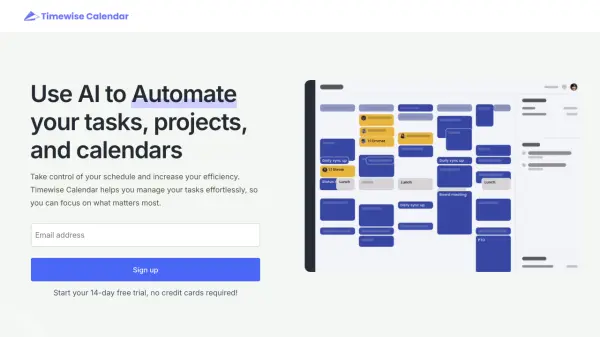
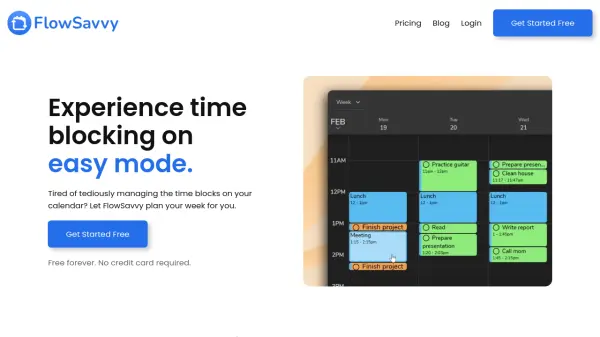
FlowSavvy is an intelligent time-blocking application designed to streamline your schedule and enhance productivity. It automatically generates a weekly plan based on your tasks and deadlines, eliminating the need for manual time block management.
The application dynamically adjusts your schedule whenever changes occur. This ensures optimal time utilization and reduces the stress of manual rescheduling. FlowSavvy offers seamless integration with popular calendar platforms like Google Calendar, iCloud, and Outlook, keeping all your events synchronized.
Features
- Auto-Scheduling: Automatically creates an optimized schedule based on your tasks and deadlines.
- Automatic Rescheduling: Dynamically adjusts your schedule when changes occur.
- Calendar Sync: Integrates with Google Calendar, iCloud, and Outlook.
- Recurring Tasks: Intelligently plans time for habits and recurring tasks.
- Workload Visualization: Color-coded tasks show proximity to deadlines.
- Customizable Scheduling Hours: Define scheduling hours for work, personal time, etc.
- Task Management: Filter to-do lists by calendar and tag.
- Task Dependencies: Configure dependency chains for tasks.
Use Cases
- Creating a weekly work schedule.
- Managing personal tasks and appointments.
- Building and maintaining habits.
- Integrating with existing calendar systems.
- Adapting to schedule changes efficiently.
- Improving time management and productivity.
- Reducing mental load associated with planning
FAQs
-
Do you offer discounts for students and educators?
Yes, we offer a 50% discount on the first year of the annual plan for students and educators. Please reach out to [email protected] from your institutional email.