Fixa favicon

Fixa
Fix Your Voice Agents Faster

What is Fixa?

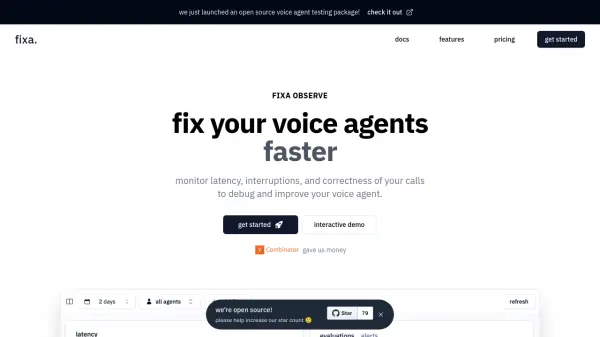
Fixa Observe provides comprehensive tools to monitor and improve AI voice agents. It enables users to measure latency, flag interruptions, and assess the correctness of agent responses. By identifying and addressing these critical performance indicators, Fixa helps developers debug and enhance the overall user experience.

The platform allows setting custom evaluations to check whether the voice agent says the right things and setting custom Slack alerts to notify when there are issues. Fixa Observe offers everything needed for building reliable and efficient voice agents.

Features

  • Measure Latency: Track response times, including TTFW and p50/p90/p95 latency.
  • Flag Interruptions: Identify instances where the voice agent interrupts the user.
  • Check Correctness: Set up custom evaluations to verify agent responses.
  • Alerts: Configure custom Slack alerts for performance issues.

Use Cases

  • Debugging voice agent performance issues
  • Monitoring voice agent calls in real-time
  • Improving user experience with voice interactions
  • Ensuring voice agent response accuracy
  • Setting up proactive alerts for voice agent errors

Related Tools:

Blogs:

  • Best AI Tools For Startups

    Best AI Tools For Startups

    we've compiled a straightforward list of user-friendly AI tools designed to give startups a boost. Discover practical solutions to streamline everyday tasks, enhance productivity, and gain valuable insights without the need for a tech expert. Learn where and how these tools can be applied in your startup journey, from automating repetitive tasks to unlocking powerful data analysis. Join us as we explore the features that make these AI tools accessible and beneficial for startups in various industries. Elevate your business with technology that works for you!

  • Top 6 AI note-taking tools for 2026: in-person, online, and hybrid use cases

    Top 6 AI note-taking tools for 2026: in-person, online, and hybrid use cases

    Most AI note-taking lists are really lists of meeting bots, which join your video call and transcribe it. That's useful, but it's half the picture. Decisions happen in hallway conversations, client dinners, on-site visits, and hybrid rooms where nobody is on a video link. This guide covers different parts of the note-taking workflow: hardware capture for in-person settings, platform-native tools for online calls, and AI layers for organizing and synthesizing what you've captured. It compares six tools by capture context, workflow fit, pricing, and limitations.

Didn't find tool you were looking for?

Be as detailed as possible for better results