What is EzUptime?
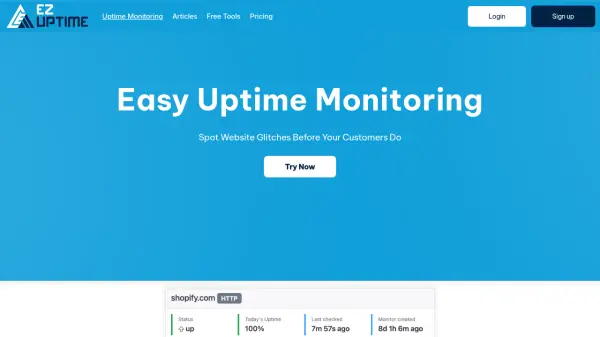
EzUptime offers a suite of monitoring tools designed to track website and server health continuously. The platform provides real-time insights into uptime status, downtime notifications, and performance statistics, helping users maintain optimal website availability.
With features like keyword monitoring, API monitoring, PING checks, and domain monitoring including DNS, WHOIS, SSL, and blacklist tracking, EzUptime ensures comprehensive coverage. Users can schedule maintenance windows, receive weekly reports, and set up custom alerts through multiple channels including email, Pushover, Slack, and webhooks.
Features
- Uptime Monitoring: 24/7 performance tracking with detailed stats
- Keyword Monitoring: Track specific website content for accuracy
- API Monitoring: Ensure API functionality and performance
- Domain Monitoring: DNS, WHOIS, SSL, and blacklist tracking
- Custom Alerts: Multi-channel notifications (email, Pushover, Slack, webhook)
Use Cases
- Monitor website availability for e-commerce platforms
- Track server health for web hosting services
- Ensure API reliability for software applications
- Monitor domain security and SSL certificate status
- Receive downtime alerts for critical business websites
FAQs
-
What types of monitors are included in the plans?
Plans include HTTPS and PING monitors with varying quantities depending on the tier. -
How frequently are uptime checks performed?
Checks are performed every 60 seconds across all plans. -
What notification methods are available?
Notifications are available via email, Pushover, Slack, and webhooks. -
Is there a free trial available?
Yes, a 14-day free trial is offered for paid plans. -
Can I cancel my subscription at any time?
Yes, subscriptions can be canceled at any time.